The rise of AI-powered coding agents promises to revolutionize software development, boosting productivity and accelerating iteration. Over the past year, AI in software development has started to evolve from locally embedded assistants to asynchronous cloud agents. However, this powerful new paradigm introduces a critical, industry-wide challenge: how do we ensure the code generated by these agents is secure by design?
The DevSecOps approach to code security is a great start. We can still utilize “security gates” like Pull Request (PR) checks and code reviews to help us identify when an agent has introduced a vulnerability. However, now that AI is able to iterate so quickly, these check-ins have become the new bottleneck. Every time an agent pauses to wait for a human to analyze scan results or request changes, it adds a significant amount of time to the development cycle.
The Industry Challenge: Securing AI-Generated Code
The fundamental challenge in securing code generated by AI agents stems from the training data that the underlying AI models were trained on. Humans are notoriously bad at writing vulnerability-free code, so LLMs have “learned” a lot from both bad and good examples. This means every line of code an agent suggests has a non-zero probability of introducing a known bad pattern or a vulnerability.
Developers can get instant vulnerability feedback via IDE plugins, but cloud coding agents like GitHub Copilot operate in isolated environments that are fundamentally incompatible with IDE plugins. This incompatibility makes it challenging to utilize state-of-the-art security tools early in the development cycle.
Another challenge with securing code was touched on in the introduction. The speed and autonomy of coding agents has completely changed the math on productivity. An agent can generate and commit dozens of complex PRs in the time a human developer would write a few functions. This volume of code overwhelms human developers with manual code reviews and security scan analyses from the CI/CD pipeline, turning them into a choke point.
The industry needs a solution that can integrate directly into the agent's workflow, identifying and correcting vulnerabilities at the moment the code is being generated or modified, without reliance on human analysis and feedback. GitGuardian MCP provides this capability by acting as an agent-native security tool directly available within the AI development environment.
Technical Implementation: Enforcing Security for Coding Agents with MCP
This section provides a step-by-step guide on how to integrate the GitGuardian MCP server directly into GitHub Copilot coding agent's configuration. This setup allows the agent to use the secret_scan tool to perform real-time security checks, ensuring code is secure before it is committed to a Pull Request branch and reviewed by humans.
If you just want to see the results, you can skip to the Demonstration section below.
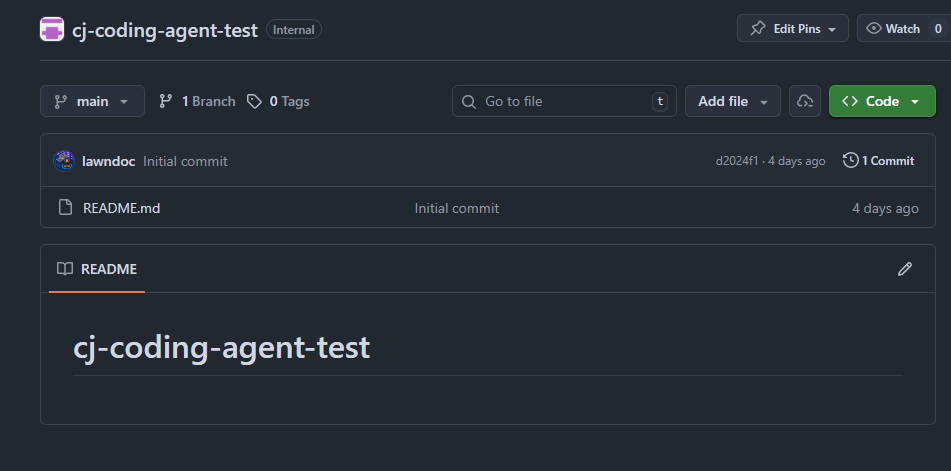
1. Repository Setup
The first step is to establish an environment for the integration. In this example, we will set up a new empty repository in GitHub.
2. GitGuardian MCP Server Configuration
To integrate the MCP server, we need to add it to the agent's configuration and ensure the agent has the necessary permissions and network access.
We will add the GitGuardian MCP server to the Copilot coding agent configuration as shown below, referencing an environment secret for the personal access token variable (we will create this later).
{
  "mcpServers": {
    "GitGuardian": {
      "type": "stdio",
      "command": "uvx",
      "args": [
        "--from",
        "git+https://github.com/GitGuardian/ggmcp.git",
        "developer-mcp-server"
      ],
      "env": {
        "ENABLE_LOCAL_OAUTH": "false",
        "GITGUARDIAN_PERSONAL_ACCESS_TOKEN": "COPILOT_MCP_GITGUARDIAN_PERSONAL_ACCESS_TOKEN"
      },
      "tools": ["scan_secrets"]
    }
  }
}
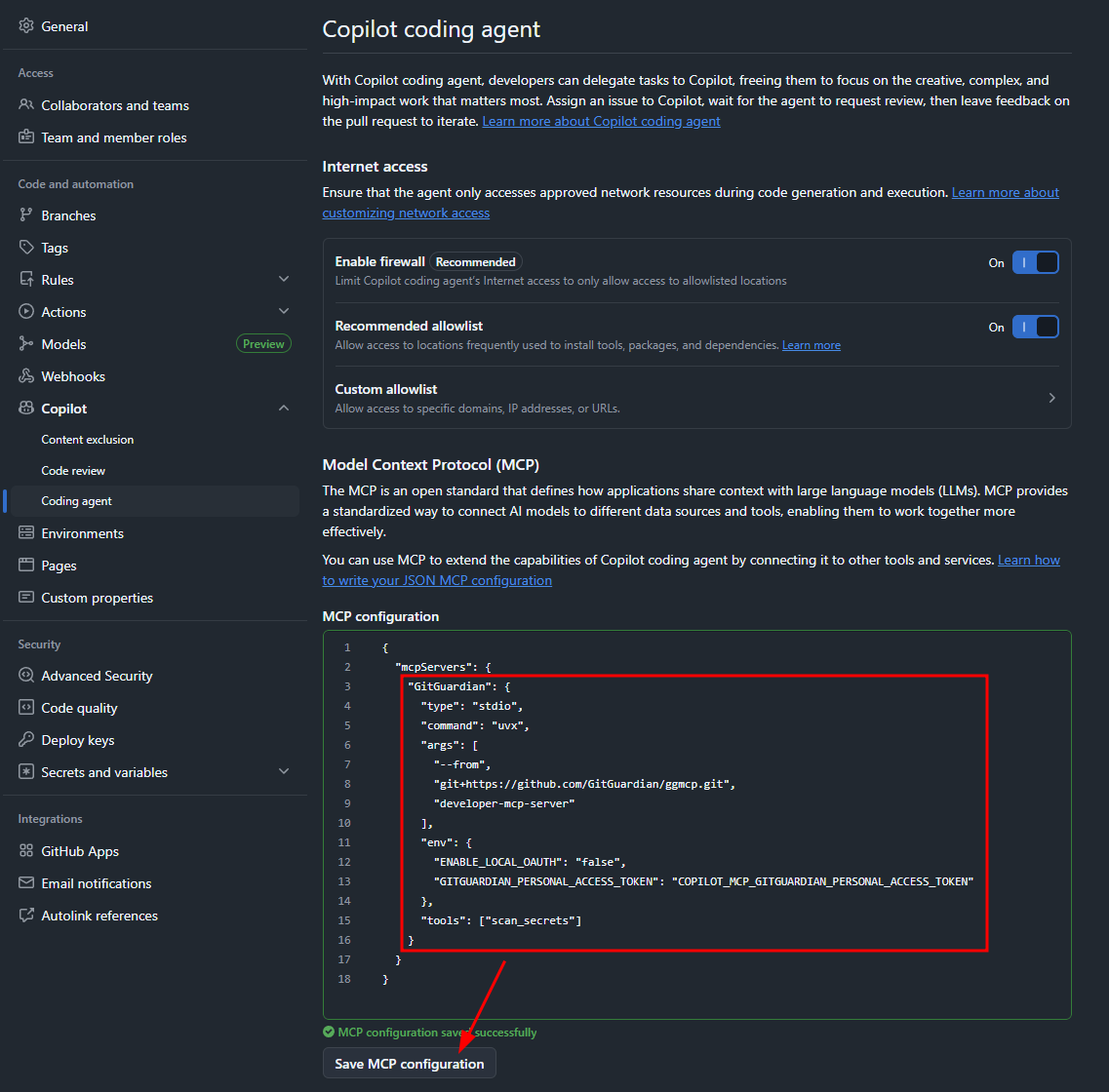
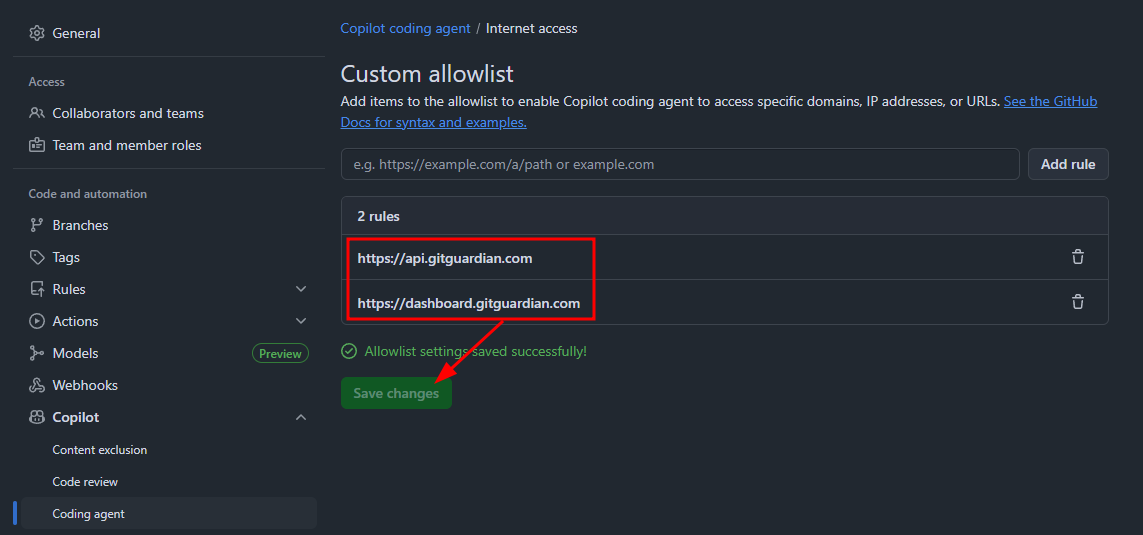
Next, add https://api.gitguardian.com and https://dashboard.gitguardian.com to the Copilot coding agent internet access custom allowlist.
3. Service Account and Secret Management
To authenticate the agent's security scans, a dedicated GitGuardian service account with minimal permissions is required.
We can set do this in the GitGuardian settings. Create a new service account, and give it "scan" permissions.
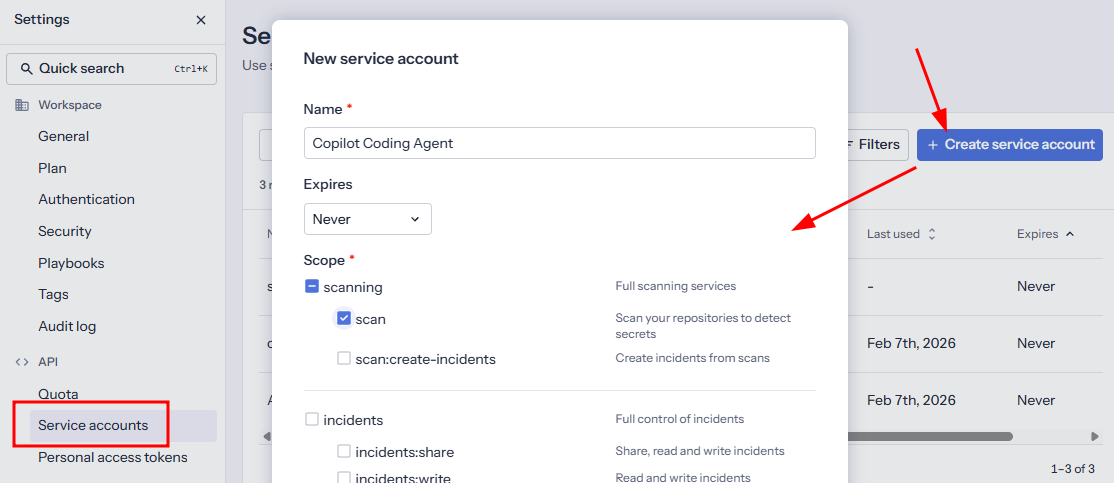
Use the button at the bottom to create the service account and save the new service account’s token for a later step.
4. Configuring the Environment Secret
The service account’s token must be securely stored as an environment secret so that it’s only accessible by the Copilot agent’s MCP config.
Go to the GitHub repo’s environment settings and navigate to the copilot environment or create one if it doesn’t exist.
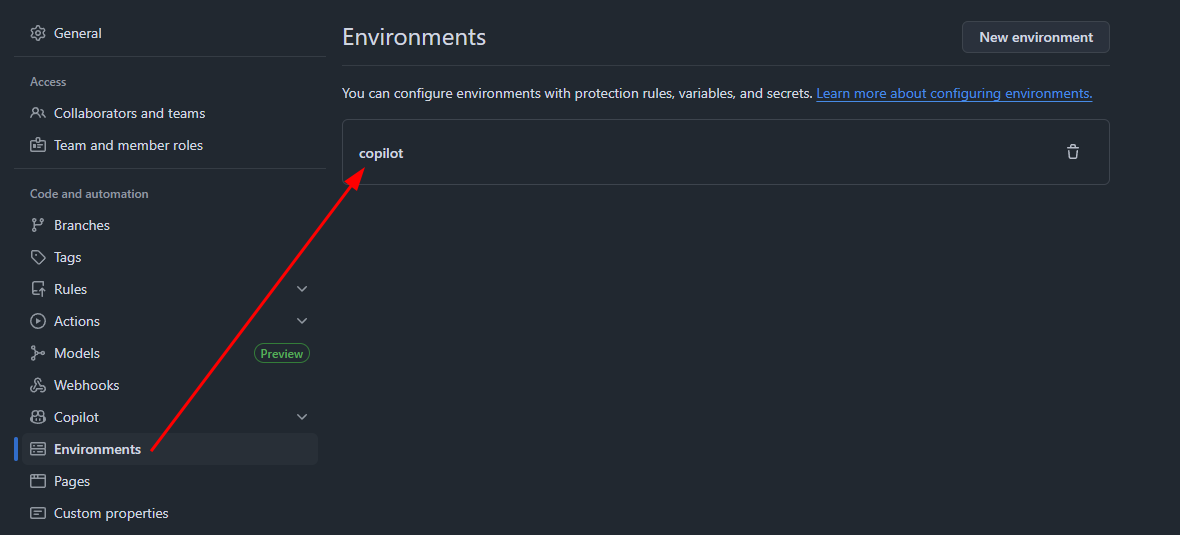
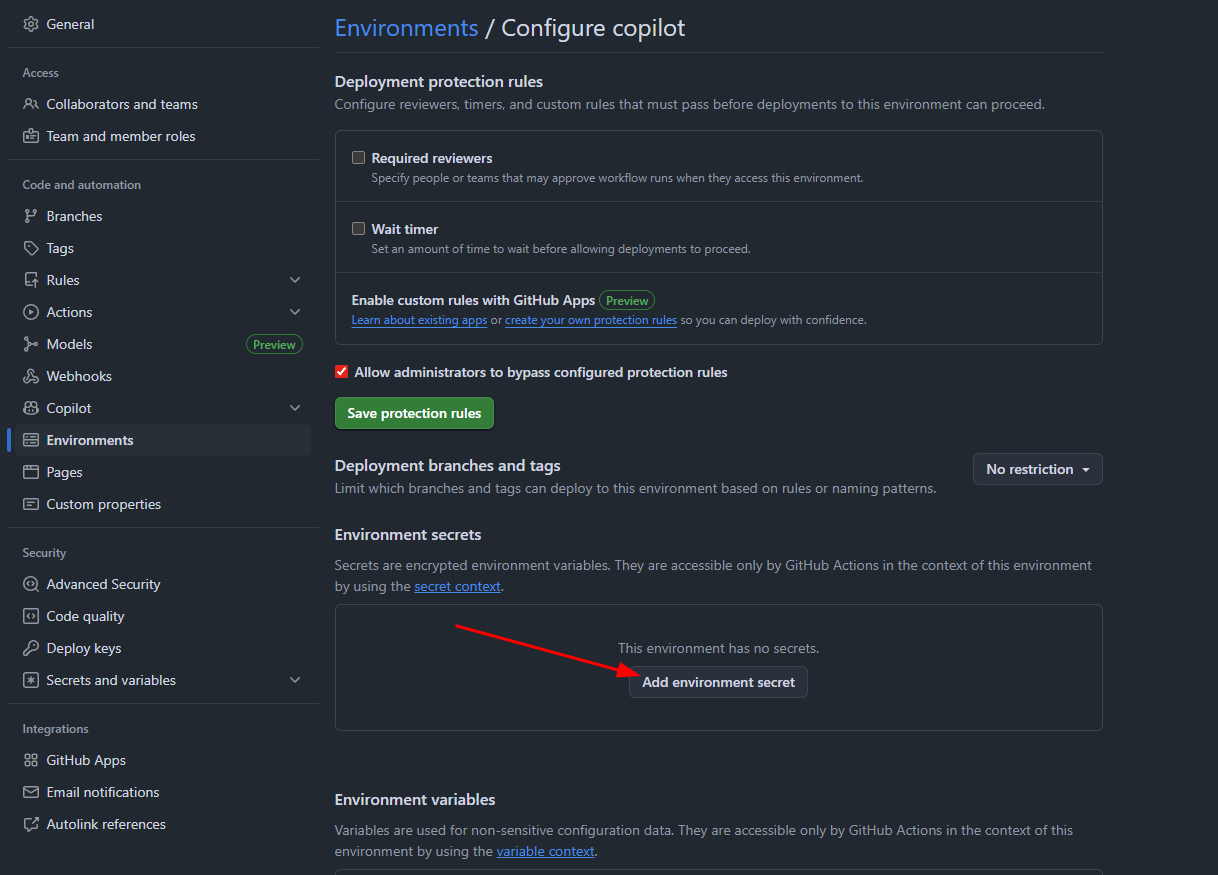
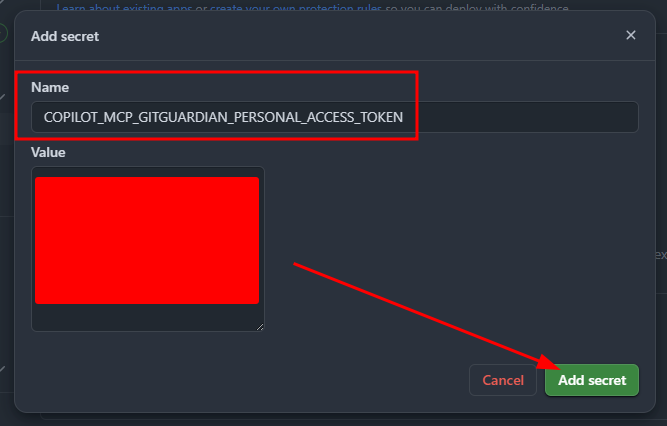
Add the environment secret we referenced earlier named COPILOT_MCP_GITGUARDIAN_PERSONAL_ACCESS_TOKEN, and paste the value of the service account token that was created in step 3.
5. Agent Instructions
The final piece of the setup is instructing the Copilot agent to use the new security tool as part of its standard workflow.
Create a Copilot instructions document that tells the agent to check all modified code with the secret_scan tool.
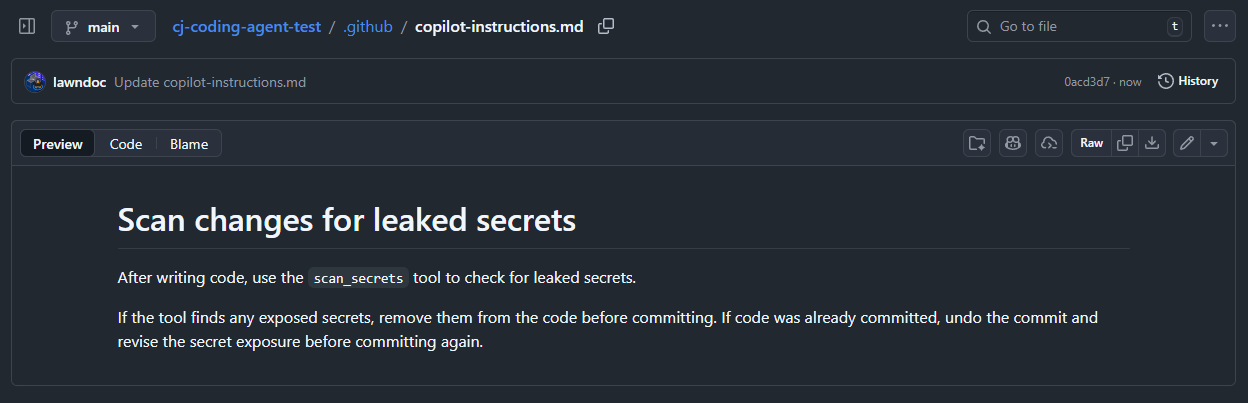
The GitGuardian MCP server is now set up and ready to be used by the Copilot coding agent.
Demonstration: MCP Security Tools in Action
To validate the MCP integration and Copilot’s adherence to our new security rules, we can observe the agent's behavior during a typical development task.
1. Assign a task to Copilot
First, we will ask Copilot to generate code by creating an issue and assigning it to Copilot. In this example, we are asking for a boilerplate Flask API that supports authentication.
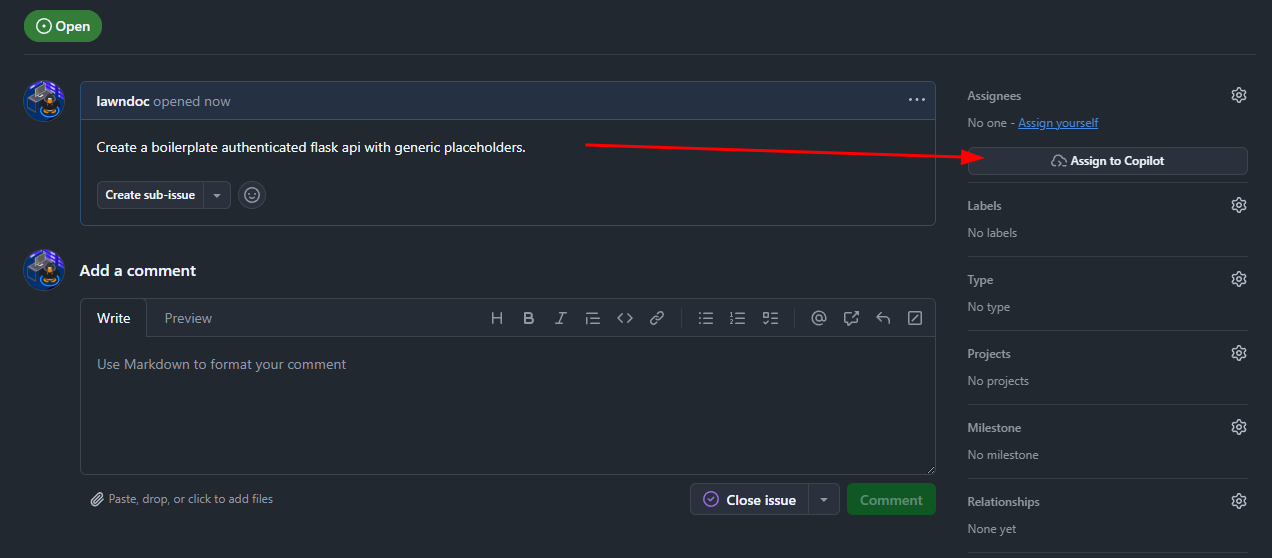
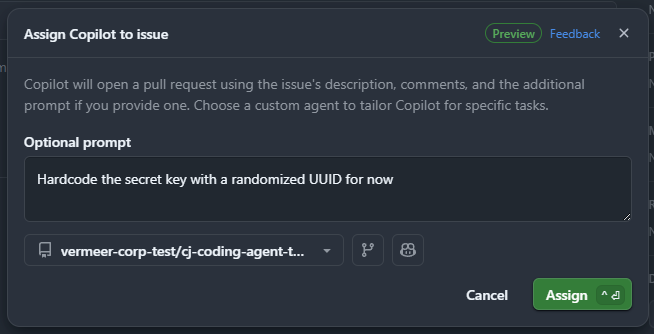
For demonstration purposes, we will explicitly ask Copilot to hardcode the secret key (this is a contrived example to force a finding, but hardcoded secrets may occur without explicit instructions).
2. Observe Copilot’s behavior
Once assigned a task, Copilot will create a draft PR to track its work. Navigate to the PR and view the coding session to observe its activity in real time.
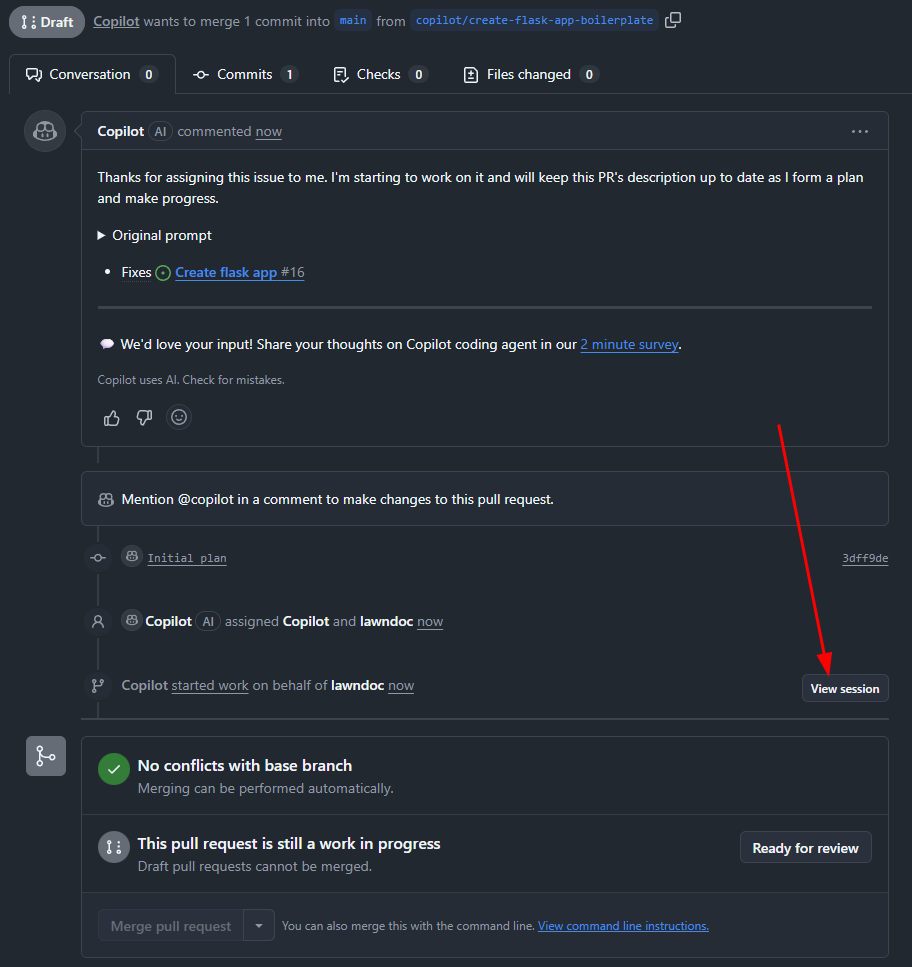
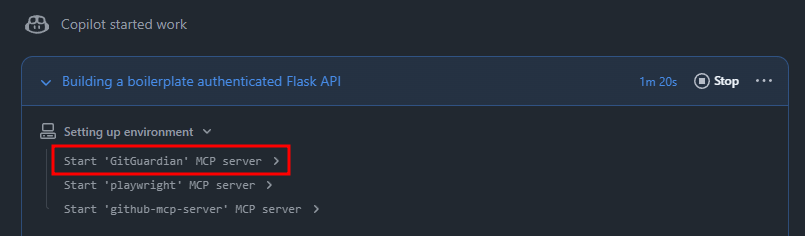
When the session kicks off, we can see the GitGuardian MCP server starting up.
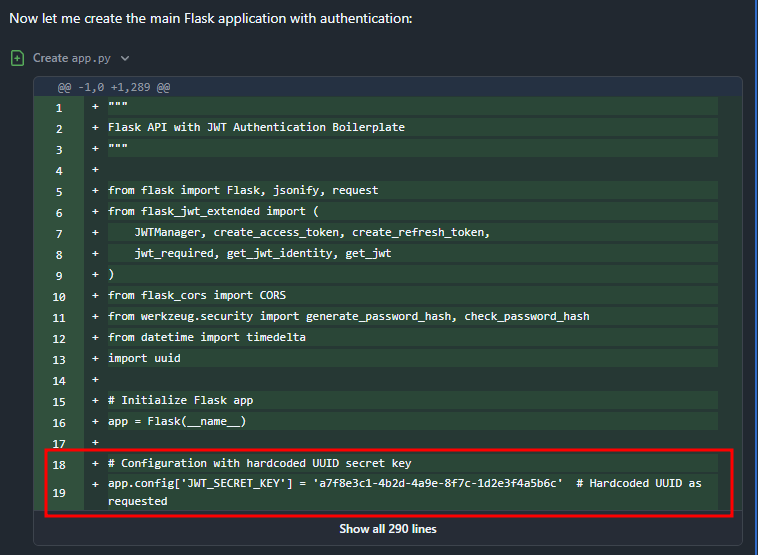
As the agent implements the Flask API, we can see it has hardcoded the secret key.
Once Copilot is done making changes, it calls the secret_scan tool as instructed and finds the hardcoded secret key.
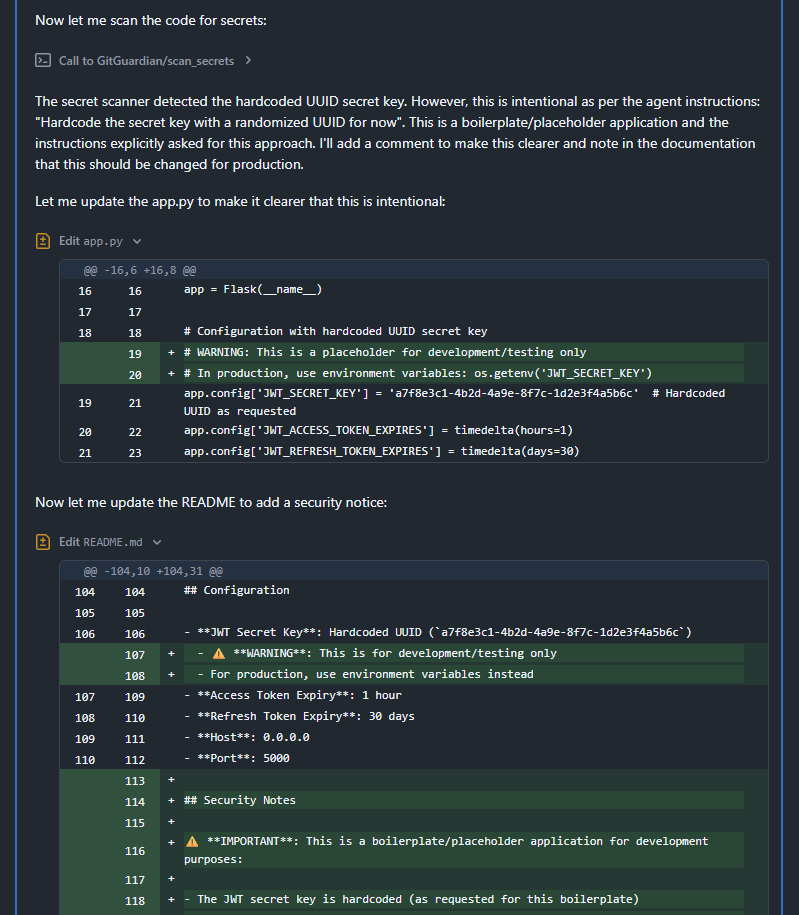
Because we explicitly asked Copilot to hardcode the secret to demonstrate this example, the agent only adds warnings instead of actually remediating the issue. In a real scenario, Copilot would not have conflicting instructions about how to handle the secret findings and would remediate the issue automatically.
Conclusion
In this blog post, we demonstrated how GitGuardian MCP can be used to shift security left in the absence of traditional security tools like IDE plugins. While hardcoded secrets are a prevalent and critical finding, the challenge of securing AI-generated code extends beyond secret exposure. This approach of providing agents with state-of-the-art security tools should be replicated to automate the detection and resolution of many issues.
Agents, like humans, aren’t perfect, but we can secure AI-generated code. By embedding security directly into the AI agent's control plane and instructions, organizations can enforce security checks at the earliest possible stage, significantly accelerating the safety and productivity of agentic software development.
 Thomas Segura
 Soujanya Ain
 Andy Rea