Case in point: credential abuse remains the single most pervasive technique across full breach chains. According to Verizon’s 2026 Data Breach Investigations Report, credential abuse appears in 39% of breaches when investigators trace the full attack chain, not only the first step in the process.
Most articles on the topic describe phishing attacks, where a fake login page tricks someone into entering a password. However, there is a second vector that matters more for engineering organizations: Credentials on developer machines.
Said credentials include cloud keys in config files, tokens in shell history, SSH keys, and secrets cached by AI tools. Most of them sit in plain text, and are easy to steal. An attacker who gains access to one of these machines doesn't need to trick anyone. The credentials are there, waiting for them to harvest.
This article is for anyone who wants to learn how credential harvesting works, why developer machines are at risk, how to find the credentials before attackers, and how to catch the harvest as it happens.
What is credential harvesting?
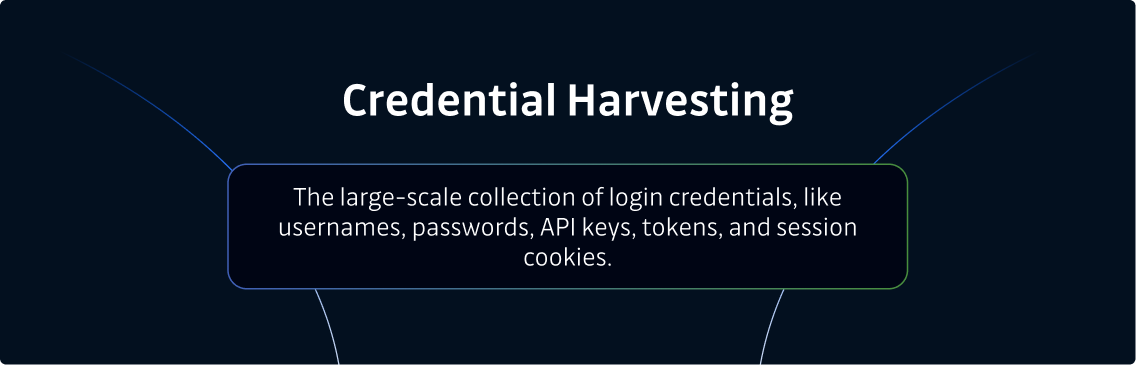
Credential harvesting is the large-scale collection of login credentials, like usernames, passwords, API keys, authentication tokens, and session cookies. Attackers gather them to use or sell on the dark web.
It's important to understand that attackers rarely target a single account. Instead, they aim to collect as many valid user credentials across an organization as possible. Doing so gives them the best chance to log in as a legitimate user and avoid the controls that keep other intruders out.
To clarify, credential harvesting isn't one technique. It's the outcome of many techniques working together to access systems as legitimate users and steal sensitive data.
How it differs from stuffing
Two quick distinctions: credential stuffing is the downstream step of replaying already-stolen credentials against login forms to see which still work, whereas harvesting is what fills that bucket in the first place.
How does credential harvesting work: The two main vectors
Attackers harvest credentials in a variety of ways.
Examples include adversary-in-the-middle phishing kits that defeat basic multi-factor authentication, keyloggers, malicious browser extensions, and breach dumps traded on the dark web.
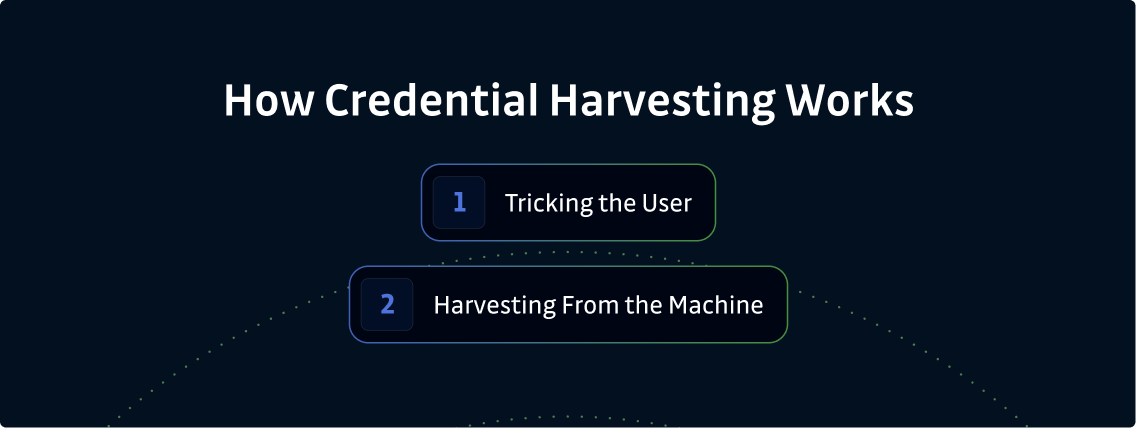
All credential harvesting schemes sort into two broad vectors:
Vector 1: Tricking the user
The technique that matters most here is the adversary-in-the-middle (AitM) kit. It proxies a real login in real time and captures the session cookie after authentication, so it sidesteps multi-factor authentication (MFA) rather than trying to defeat it head-on. That turns MFA from a hard stop into a control attackers routinely work around, which is why this vector deserves more attention than the classic fake-login-page playbook. Device code phishing works along similar lines: instead of proxying a login, the attacker tricks the user into approving a legitimate device-authorization request, which hands over a fully authenticated session — again without ever capturing the password itself.
It helps to separate how a victim is lured from how their credentials are actually captured. The distribution techniques — phishing emails, lookalike domains, and watering-hole sites — still rely on social engineering to get someone to a malicious site, and they remain common even though most organizations already blunt them. What varies is the exploitation technique used once the victim arrives. In classic phishing, a fake login page simply collects whatever is typed into it. AitM is an evolution of the same playbook rather than a break from it: the victim is still lured, usually by email, but the malicious site now proxies the real login to capture the session cookie after authentication. Because the delivery is unchanged, the same defenses apply — email security and awareness training, such as spotting suspicious senders and checking the real domain, work against AitM much as they do against classic phishing. What has genuinely shifted the balance is the endpoint, where credentials can be harvested with no user to trick at all.
Vector 2: Harvesting from the machine
Malware, most often an infostealer, reads credentials on a device, like cloud credential caches, .env and config files, shell history, SSH keys, browser tokens, and AI tool caches. This malware doesn't make any phishing attempts or otherwise try to trick employees. It's arguably the purest form of credential harvesting because the malware simply reads what's on the device and reports back to the attacker.
It's important to note that infostealers don't stop at usernames and passwords. They also grab session cookies and previously authenticated tokens, which enables attackers to skip the multi-factor authentication (MFA) step rather than trying to defeat it. For most attackers, this is a preferable approach to credential theft, and why it's gaining popularity. Security teams need to be aware and act. This is especially true for developer machines, where the density of valid credentials is highest.
Why developer machines are the richest harvest
A developer laptop accumulates valid, long-lived credentials across many predictable locations. Unfortunately, none of them live in repositories that standard code scanning can see.
Because of this, when attackers gain access to developer machines, they can often view cloud keys in ~/.aws and similar directories, tokens in .npmrc and shell history, SSH keys, and secrets cached by AI coding tools. This last category is especially vulnerable. GitGuardian’s own endpoint research found that 40% of high and critical secrets on developer laptops surface in AI tool directories and log files, i.e., locations no traditional scanner looks at.
As you're likely aware, a single harvested cloud key or registry token can grant legitimately authorized access directly to production, with no further attack required. That's what makes the developer machine such an attractive target. It not only contains the most secrets, but also the most sensitive information.
Worse, the credentials on developer machines are often long-lived and rarely rotated. GitGuardian's 2026 State of Secrets Sprawl report found that 64% of secrets confirmed valid in 2022 were still valid in January 2026. In other words, a harvest from a developer machine is useful for years, not months.
3 Credential harvesting examples
To make the two vectors concrete, here are three credential harvesting examples.
- Vector 1 example: A phishing kit serves a pixel-perfect login page for a SaaS app and collects every credential entered by unsuspecting users. It then relays an occasional session in real time to defeat MFA through an adversary-in-the-middle technique to gain access.
- Vector 2 example: An infostealer lands on a developer laptop, reads the cloud credential cache and shell history, and exfiltrates valid keys to production, without a single click from the developer.
- Escalation example: An attacker uses a single harvested registry or CI token to publish a malicious package. This is the pattern behind the Shai-Hulud npm worm, which compromised over 500 npm packages by stealing GitHub personal access tokens and cloud API keys. It then reused them to automatically publish trojanized versions of the developer's own packages.
Credential harvesting malware on the endpoint
On the machine, the harvesting tool is typically an infostealer, as mentioned earlier.
An infostealer is usually lightweight malware designed to read the exact files where developers store credentials, then exfiltrate them. This is what most people mean when they search for credential-harvesting malware or tools built for the endpoint rather than the inbox.
Put simply, once installed, the infostealer scans known credential locations, packages what it finds, and exfiltrates it. The output often ends up bundled and sold as stealer logs on dark web marketplaces, where other threat actors buy access to compromised accounts rather than harvesting data themselves. This isn’t always the case, though. Attackers can also use the credentials themselves.
What controls miss on the endpoint harvest
Most organizations defend against credential-based attacks by preparing for phishing and other malicious behavior. Few of them inventory the harvestable credentials sitting on their devices.
- Email security and awareness training: This defense aims to detect phishing emails and fake websites before people click links. They do nothing about the credentials already on disk.
- EDR: This defense watches for malicious processes and suspicious activity. Generally speaking, it doesn’t monitor the plaintext keys the infostealers read from a company's config file.
- Repo and CI secret scanning: This defense inspects the organization's repository and pipeline, not the local filesystem where harvestable credentials dwell, unprotected.
- Secrets managers: This defense protects secrets, but only those that flow through them. The copy your developer leaves in a local config file will never route through the vault.
Because the read is hard to catch, you should reduce what's available to harvest, discover what's already there, and plant tripwires that fire when attackers take credentials, to defend against malicious software.
How to prevent credential harvesting
To defend against credential harvesting, you must account for both vectors.
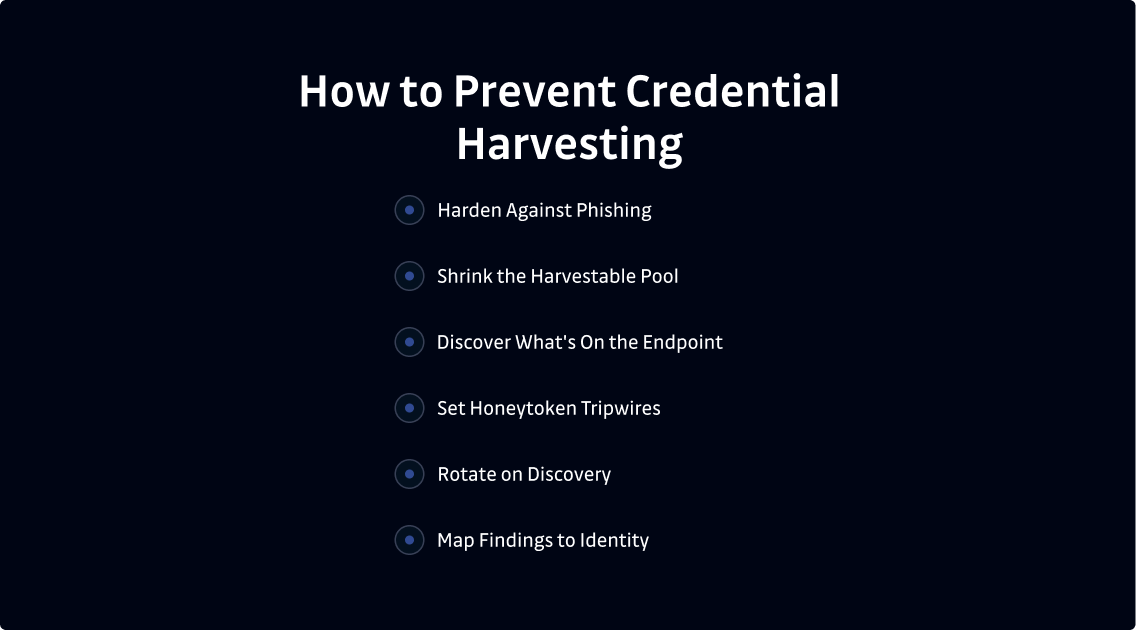
For credential harvesting phishing, standard controls apply. For the endpoint harvest, the goal is to first leave less to harvest. Then, find what's already there, and get alerts as soon as attackers take credentials.
- Harden against phishing. Phishing-resistant MFA, like U2F or passkeys combined with a second authentication factor, along with email filtering and awareness training, reduces Vector 1, including adversary-in-the-middle kits.
- Shrink the harvestable pool. Prioritize short-lived, scoped credentials over long-lived static keys cached on disk. Additionally, treat static keys as a tracked exception, not the default.
- Discover what's on the endpoint. Inventory and scan the locations where credentials accumulate on the machine, so it's a first-class scan target instead of a blind spot.
- Set honeytoken tripwires. Plant decoy credentials where harvesting tools are likely to look. A honeytoken fires the moment it's used, turning a silent harvest into an immediate alert.
- Rotate on discovery. Treat detection and revocation as one motion, prioritized by severity and validity. Mandate a short, measured time-to-revoke for all critical systems.
- Map findings to identity. Finally, connect each discovered credential to the identity it belongs to. That way, every harvestable credential has a clear owner.
If you take the above precautions, you'll detect harvest events, not only reduce what's available to take.
Auditing the endpoint credential plane
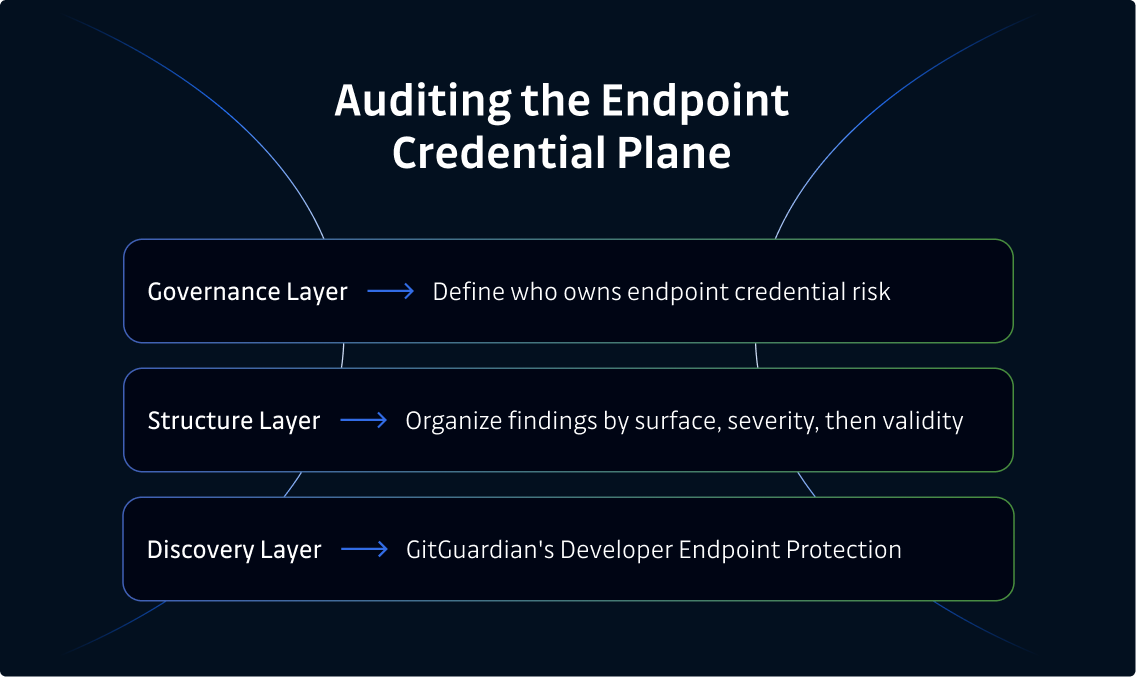
If you're serious about how to prevent credential harvesting on your organization's developer machines, you need more than a single scanning tool. You need three separate layers to work together.
- Governance layer: Define who owns endpoint credential risk, how often the team assesses the fleet, what severity triggers a response, and how findings route to incident and ticketing workflows.
- Structure layer: Organize findings by surface, then severity, then validity, so audits produce a prioritized, revocable list of credentials that attackers can harvest on a machine, right now.
- Discovery layer: This is where GitGuardian's Developer Endpoint Protection, one of the products in the GitGuardian platform alongside Internal Secrets Monitoring, Public Secrets Monitoring, and NHI Governance, fits. It extends ggshield to regularly scan locations where credentials accumulate on machines. It's deployed via existing MDM tooling, using a purpose-built scope rather than catch-all telemetry, and scores each finding by machine, severity, and validity, and disseminates honeytokens that fire the moment an infostealer harvests a credential. As such, it catches the harvest event itself, not only the exposure that preceded it.
Is this spyware running on developer laptops? No, and that distinction matters for adoption. This is credential discovery, not surveillance: ggshield runs locally and sends back only a hash and metadata, never the secret value or the source files, and it focuses on the high-risk locations where credentials accumulate. Browser token stores, for example, remain the job of your EDR and identity controls. The agent already runs on more than 600,000 developer machines.
It is also not a separate console to babysit. Findings land in the same platform as your repository and CI secret scanning, so endpoint results deduplicate and prioritize alongside the alerts you already triage rather than starting a second queue.
What good looks like here is measurable, not vague: growing coverage of the machines and locations that actually hold live credentials, and a shorter, tracked time-to-revoke once a finding is confirmed. Honeytokens make the harvest itself measurable too. Because a honeytoken has no legitimate use, a single deployment is a high-confidence signal with almost no false positives, and that alert routes straight to whoever owns incident response, so a silent harvest becomes a paged event.
At the end of the day, our tool complements email security, EDR, secrets managers, and identity controls rather than replacing them. The goal is to find harvestable credentials and catch a harvest before an attacker can use what they collect.
The future of credential harvesting
There are a few trends you need to know about to protect your organization's systems. These trends include commoditized harvesting, AI tools, and sessions.
- Commoditized harvesting. Cheap, disposable infostealers - increasingly generated on demand and tailored to a specific victim - put a capable credential harvester within reach of less sophisticated threat actors, without the shared infrastructure that characterizes ransomware-as-a-service operations.
- A bigger harvest, driven by AI tools. AI coding tools increase credentials in local places. Our research at GitGuardian found AI-assisted commits leak secrets at roughly 3.2%, more than double the 1.5% baseline. (Note: This figure is specific to Claude Code-assisted commits, though generally speaking, AI causes more secrets to leak.) We also identified 24,008 unique secrets in public MCP configuration files, over 2,000 of which are still valid (per GitGuardian’s State of Secrets Sprawl research). Supply chain campaigns already exploit this. By analyzing machines hit by the Shai-Hulud 2 attack, we found 294,842 secret occurrences across 6,943 systems.
- The balance shifts toward sessions. As MFA makes credential phishing harder, infostealers adapt to harvest session cookies and tokens that are already authenticated, sidestepping MFA rather than attempting to defeat it head-on. Just as important, much of what gets harvested on developer machines is machine identity — API keys, service tokens, and CI credentials — that never sits behind MFA in the first place, because machine-to-machine authentication is rarely designed for it. As a result, the endpoint vector continues to rise.
Summary: Harvesting is collection, so reduce what there is to collect
Credential harvesting is the bulk collection of valid credentials, and it remains one of the most consistent threats to both sensitive systems and critical systems. While phishing is common, developer machines offer a richer harvest, because cloud keys, tokens, and SSH keys sit in plaintext for infostealers to read.
Defending against credential harvesting requires organizations to harden against phishing and, equally as important, leave less to harvest on the endpoint, discover what's already there before an attacker does, and plant honeytokens that fire the moment an attacker takes a credential. All of these strategies work best as a complement to the controls your security team already runs, not as a replacement for them.
FAQs about credential harvesting attacks
What is credential harvesting?
Credential harvesting is the large-scale collection of valid credentials, such as usernames, passwords, API keys, and tokens, for use or resale by an attacker. The aim is volume, as the attacker tries to steal as many working credentials as possible across an organization, rather than one specific account.
How does credential harvesting work?
Common credential harvesting strategies work through two main vectors. The first tricks a person into entering credentials on a fake login page. The second deploys malware, usually an infostealer, to read credentials that already sit in plaintext on a device. The second vector requires zero deception.
What is the difference between credential harvesting and credential stuffing?
Credential harvesting collects the credentials. Credential stuffing replays already-stolen credentials against login forms to find ones that still work. Harvesting fills the bucket, while stuffing pours it out.
Is credential harvesting the same as phishing?
No. Phishing is one vector used to harvest credentials by tricking a person. Harvesting is the goal, and phishing is just one way to reach it. On developer machines, the credentials already sit on disk, so an attacker who can run code there, whether the malware arrived via phishing, a drive-by download, or a compromised dependency, can harvest them without tricking anyone into typing a password.
What are examples of credential harvesting?
A phishing kit serving a fake SaaS login page or an infostealer reading cloud keys and shell history from a developer laptop. Both attempt to exfiltrate sensitive information from legitimate organizations.
What is credential harvesting malware?
Credential harvesting malware is malware built to collect credentials from a device. Most malware of this type are infostealers. The malware reads files where developers store credentials, like cloud caches, config files, and browser storage, then exfiltrates them, either to package for sale as stealer logs or for personal use.
How do you prevent credential harvesting?
Defend both vectors. First, use phishing-resistant MFA and email filtering to guard against phishing. Then, for endpoints, reduce long-lived credentials, discover secrets already on the machine, plant honeytokens that fire when an attacker takes a credential, and revoke what shouldn't be there.
How do you detect credential harvesting on an endpoint?
Detecting the file read itself is hard, which is why GitGuardian pairs endpoint discovery with honeytokens. Doing so places decoy credentials in the exact locations that harvesting tools look for them. As such, the system catches the harvest event the moment an attacker uses one of those decoy credentials, even if the original read went unnoticed.