TL;DR
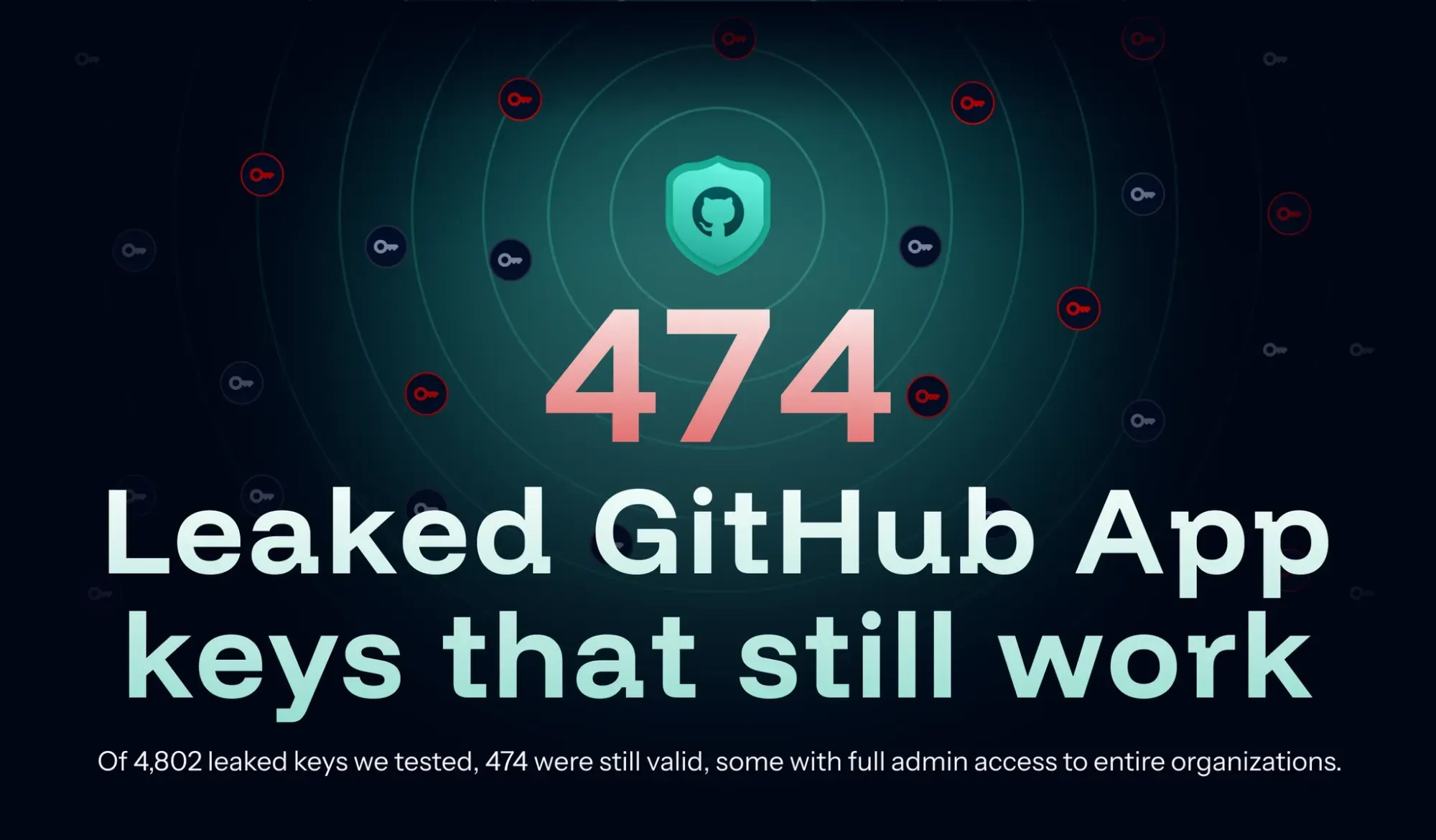
- 474 of 4,802 tested keys still worked: GitGuardian pulled these from over 500,000 exposed RSA keys and found 474, about 10%, still authenticating as 440 distinct Apps on GitHub's API.
- 44 Apps had full organization admin access: 72% of the compromised Apps could read private repository content, and 207 could write to it, turning one leaked key into an organization takeover.
- GitHub App keys never expire: Real cases included Access Tokens for GitHub Actions, BuildBuddy, Crusher.dev, and the CDC, where a forgotten leak can grant access for years until someone rotates it.
Supply-chain security has been a hot topic in recent years. Threat actors have exploited the npm, PyPI, and Rust ecosystems to compromise developer machines at scale, and GitHub has played a central role as an entry point through badly configured Action workflows.
GitHub Apps are a lesser-explored vector in that same landscape. Because of the privileges they hold, they are one of the most sensitive components in the GitHub ecosystem, capable of reaching into every repository an installation covers and, in the worst cases, taking over the organizations that installed them. The recent CISA leak showed exactly how far that reach can go: a single compromised App became an open door into the organization's information system.
In this article, we look at how GitHub Apps authenticate, and what happens when their private keys fall into the wrong hands.
What is a GitHub App?
GitHub Apps are a GitHub platform feature that extends its functionality. Apps can be useful for many reasons, and GitHub’s marketplace contains more than a thousand readily available ones. For example, GitGuardian relies on a GitHub app to provide support for the GitGuardian secret scanning feature on private repositories.
GitHub Apps are installed at an organization level and can then be used for a variety of purposes, for example:
- CI/CD tools: automated checks or deployments
- Code quality/security scanners that comment on PRs
- Project management integrations: syncing issues to external trackers
- Bots that automate repetitive workflows: labeling, triaging, etc.
GitHub Apps, contrary to OAuth apps, live under their own identity. They primarily authenticate as themselves and can later impersonate the organization they are installed on using installation tokens.
When installing an application on an organization, the user has to choose two main settings:
- The installation scope, either all repositories or a selection
- The permissions
An App requests permission in its configuration.
"permissions": {
    "discussions": "write",
    "metadata": "read"
}
These follow the same schema as the permissions set in Action workflows:
- Permission is either
readorwrite. - Permission applies to an object: repository contents, repository workflows, pull requests, organization administration, etc.
Once installed, an App can perform any action its permissions define, across every repository the installation covers. This makes GitHub Apps a critical asset in the GitHub security landscape. If an App is compromised, the attacker inherits its privileges across all organizations where it is installed.
How a GitHub App's private key becomes API access
To authenticate on the API, an App relies on a cryptographic private key. It is defined in the App configuration and can only be generated by GitHub itself. App keys have no expiration date. They live until someone manually deletes them from the configuration.
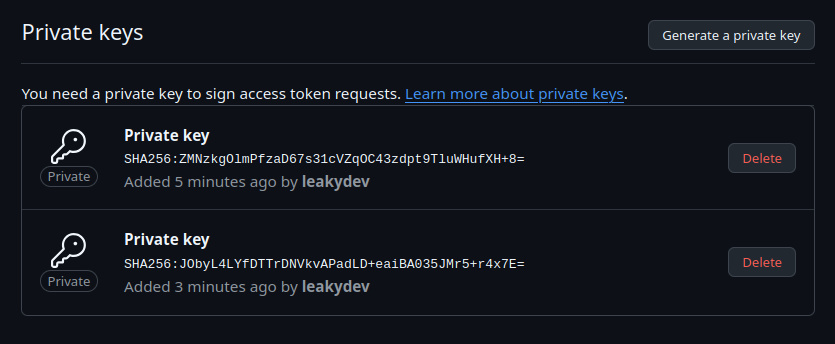
Once a key is generated, the App uses it to generate a short-lived access token. It is a JWT signed with the App's private key and the RS256 method. The token must contain only a limited number of claims:
iat (issued at)exp (expiration date; must be no more than 10 minutes in the future)iss (the App ID)
Once GitHub verifies the signed token, it can be used to read and modify the App metadata, including the list of installations. Later on, it can be used to obtain an installation token that, in turn, allows access to a user’s organization.
curl -iX POST \
  -H "Authorization: Bearer eyJhbGciOiJSUzI1NiIsInR5cCI6IkpXVCJ9.eyJpYXQiOjE3ODg1MzA4NDMsImV4cCI6MTc4ODUzMTUwMywiaXNzIjoiMTMzNyJ9Cg.[...]" \
  https://api.github.com/app/installations/1331/access_tokens \
  -d '{"repositories":[],"permissions":{"contents":"read"}}'
The Apps’ private keys are therefore the most critical element of an installation. Anyone who holds one can sign their own JWT and request access tokens indistinguishable from the App's own. If a key leaks, it creates a supply chain risk that can affect both the application’s owner and all its users.
Finding App private keys at scale
Private keys encoded in the PEM format used by GitHub's key generator follow a strong, easy-to-detect pattern. They decode to a format that makes it easy to detect bogus or fake keys.
-----BEGIN RSA PRIVATE KEY-----
MIIEvwIBADANBgkqhkiG9w0BAQEFAASCBKkwggSlAgEAAoIBAQDTm6N1VlCuoYRB
Iab5tHdEKq61WsY8uZYzXDZYrp8GJa3dl8owgAi9P6PgiURua3dtid+ni44pUy/1
[...]
oKdwLpn1+OtNvV/8sPLlxLNM4rbbQXQkuOOgOiigWuKqYaEeo5YpjzPIex7QevPu
KkJWZBrZ4fF36hDIUwZksvnfNg==
-----END RSA PRIVATE KEY-----
Detecting leaked private keys is therefore easy, and GitGuardian's secret detection engine has done so since 2019. There are still two issues when trying to identify GitHub Apps private keys:
- Private keys are used for a wide range of applications, from SSH authentication to HTTPS.
- An App private key must live alongside an App ID or a client ID.
For this experiment, we have extracted more than 500,000 RSA private keys from GitGuardian’s publicly leaked secret dataset. We then reduced that set to 4,802 private keys used in a GitHub-related context and for which we found a nearby App ID.
For each private key, we signed an access token and tried using it to read the /app API endpoint."If the private key were valid, this endpoint would return metadata information about the corresponding App. Otherwise, it returned an error.
This number is already impressive, but the characteristics of the affected Apps highlight the potential impact even more.
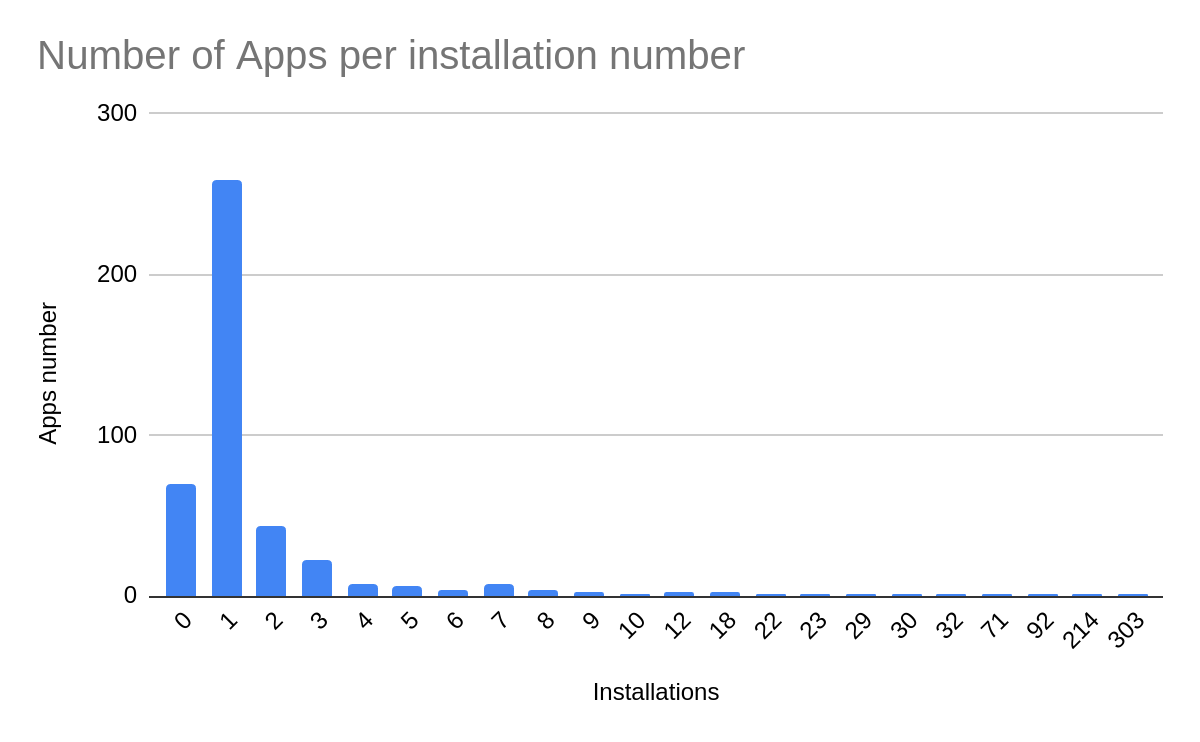
Installations per app ranged from 0 (for 21 Apps) to 303. 59% of Apps had only one installation, suggesting they were developed and used by a single party rather than as public, off-the-shelf tools.
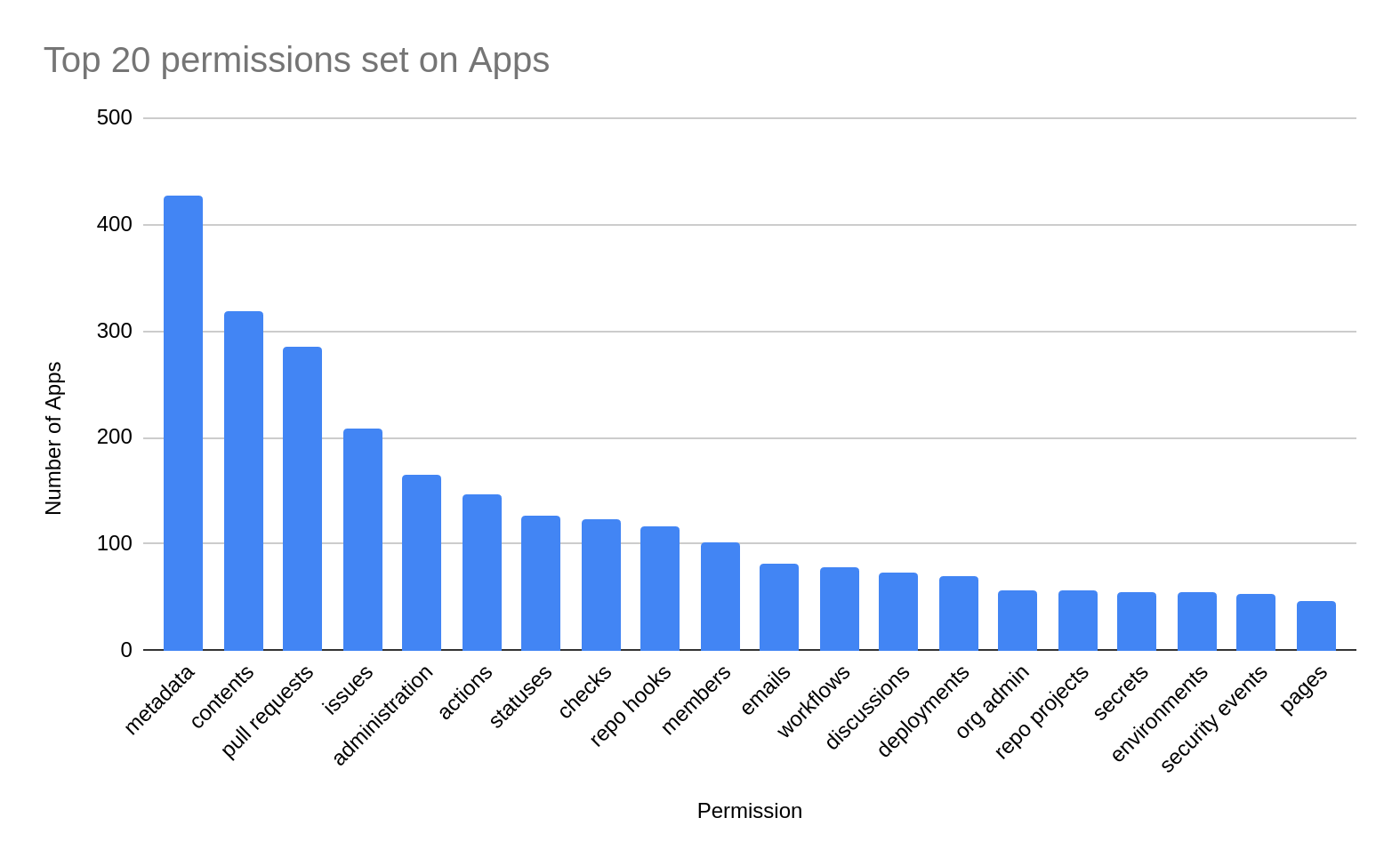
72% of the compromised Apps had some content permissions, meaning that they could access private repositories of the organizations that use them. 207 of them have content write permissions and can modify those repositories.
Even worse, 44 Apps have organization administration privileges, 40 can administer self-hosted runners, and 98 can control workflows. Those permissions could allow a complete takeover of the target organization, or code execution on its internal infrastructure, with or without further supply-chain compromise.
Last noteworthy point: the keys to 156 App keys were leaked in a repository that the application’s maintainer does not own. This is a pattern we frequently observe at GitGuardian, and that makes identifying leaked secrets more difficult.
The threat created by a compromised application is real and concrete. This led us to disclose the issues to affected application owners responsibly.
Real-world Apps, real-world threat
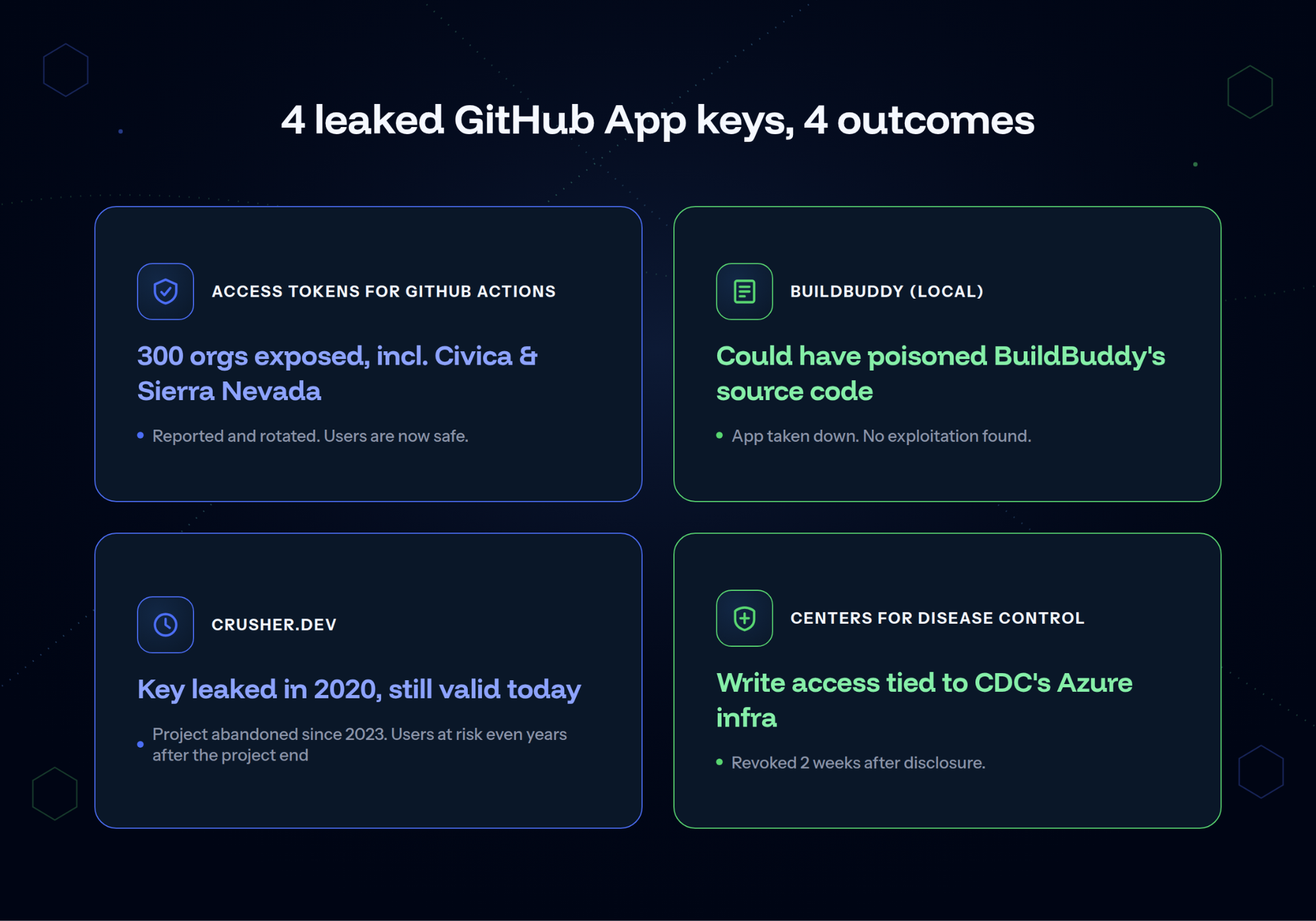
Among the compromised applications, a few stand out as strong illustrations of the real-world risk and potential exploitation scenarios.
Access Tokens for GitHub Actions
Access tokens for GitHub Actions is a GitHub App used to manage fine-grained access for GitHub Actions workflows. Its private key was leaked back in January 2024, in a commit that was likely the result of an error.
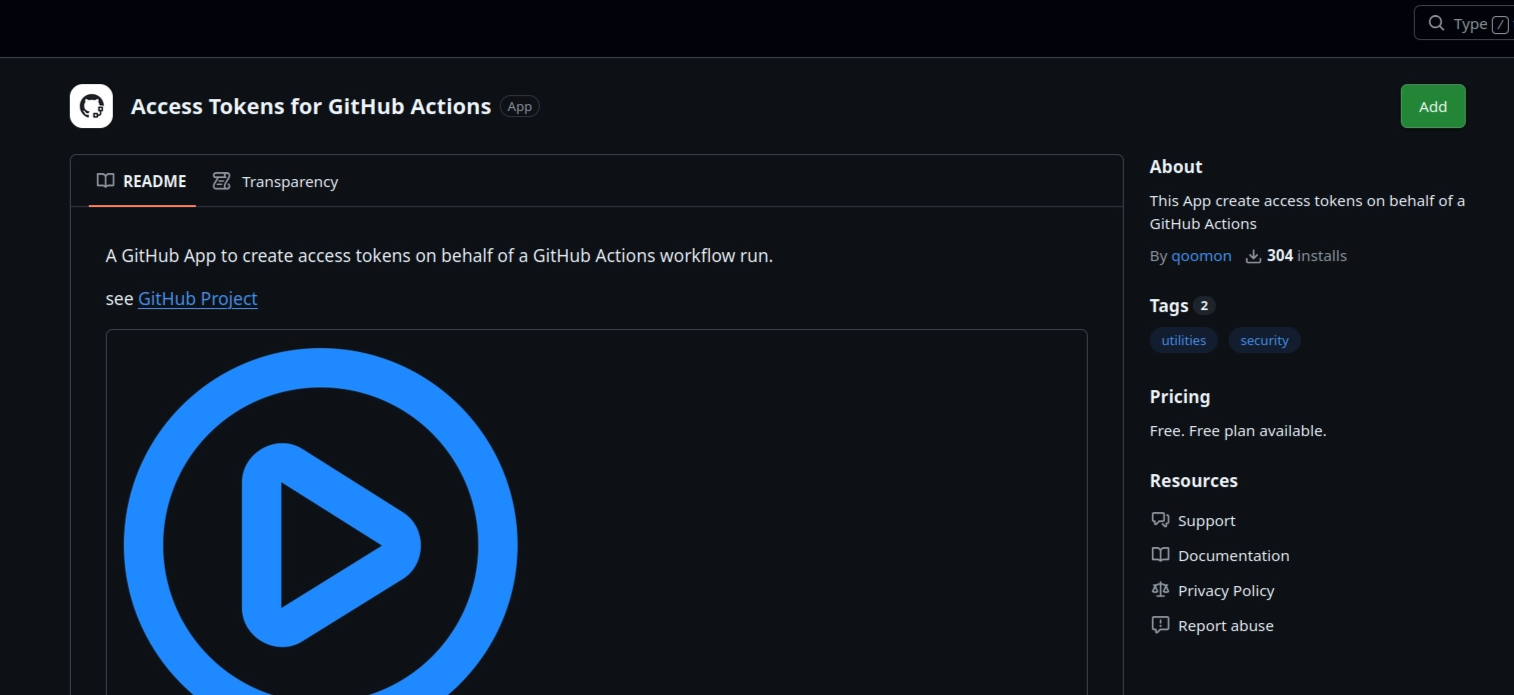
The App was installed on 300 organizations, including some from high-profile companies such as Civica and Sierra Nevada Corp. Given the App’s nature, its permissions were broad, with privileges to modify repository content and administer the organization itself.
This is the perfect example of a GitHub App whose compromise can have severe supply-chain consequences because of its number of installations.
Following our disclosure, the application’s maintainer promptly rotated the App’s private key. All users of this App are now safe from this threat.
Buildbuddy
BuildBuddy is a platform built around Bazel, Google's open-source build system, that helps teams speed up and monitor their software builds. BuildBuddy is open source and open core, with source code hosted on the buildbuddy-io organization.
The private key for an App named BuildBuddy (local) was leaked in June 2025 in one of the owner’s org repositories. The App was only supposed to be used by the BuildBuddy team itself and was installed on only 10 organizations, including buildbuddy-io itself.
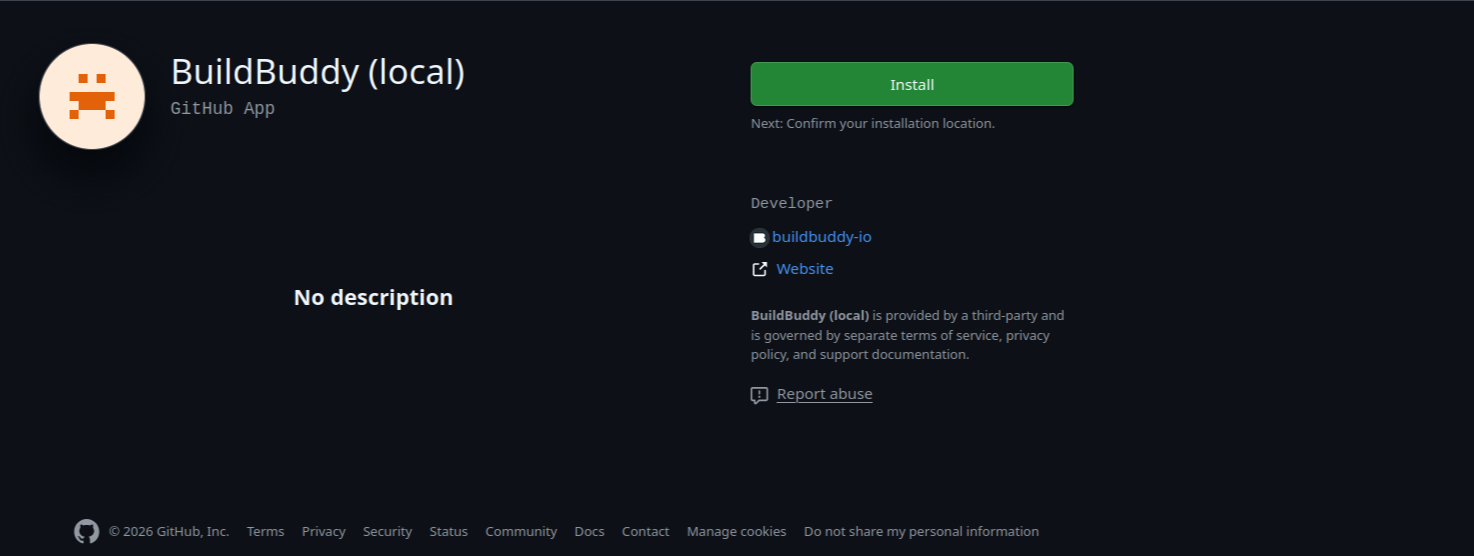
With permissions to write to and administer target repositories, and an installation scope that included the main buildbuddy-io/buildbuddy repo, this application could compromise BuildBuddy’s source code.
Given that buildbuddy-io/buildbuddy contains the source code for both the client and server components of the solution, potential victims could have included:
- BuildBuddy users who depend on the CLI, which could have been poisoned.
- Organizations that host BuildBuddy internally, as the server components could also have been poisoned.
- Similarly, because the BuildBuddy company also relies on the server components, the SaaS BuildBuddy platform could have been compromised. The blast radius could have cascaded to the SaaS platform users.
After our report, BuildBuddy’s security team quickly took the application down. Investigations revealed no traces of malicious exploitation of this Application. All BuildBuddy users are safe from the supply-chain threat.
Crusher.dev
Crusher.dev is an open-source JavaScript test framework project. The key to the Crusher-Test App was leaked in November 2020. This App has read access to scoped repositories, allowing it to read its users’ private code.
The project has been unmaintained for three years. Its main website is currently down, indicating it is abandoned. However, because App private keys never expire, the App installations are still currently working. All users who did not uninstall the application after the project ended are at risk of private code theft.
Centers for Disease Control and Prevention
The private key for a private App owned by an organization named cdcent was leaked in April 2025. Notably, the leak occurred in a repository of the CDCGov organization, the official organization of the US Centers for Disease Control and Prevention.
The application is installed only in the cdcent organization and is granted access to only two private repositories, including cdcent/cfa-cdcgov-actions. However, the App has write access to those repositories. It can therefore poison the code stored in them.
Based on public documentation, this repository appears to mediate interactions between the main CDCGov org repositories and CDC's Azure infrastructure. While we did not attempt to interact with the affected repository directly, our analysis suggests the App could be used to execute arbitrary code within CDC's Azure tenant.
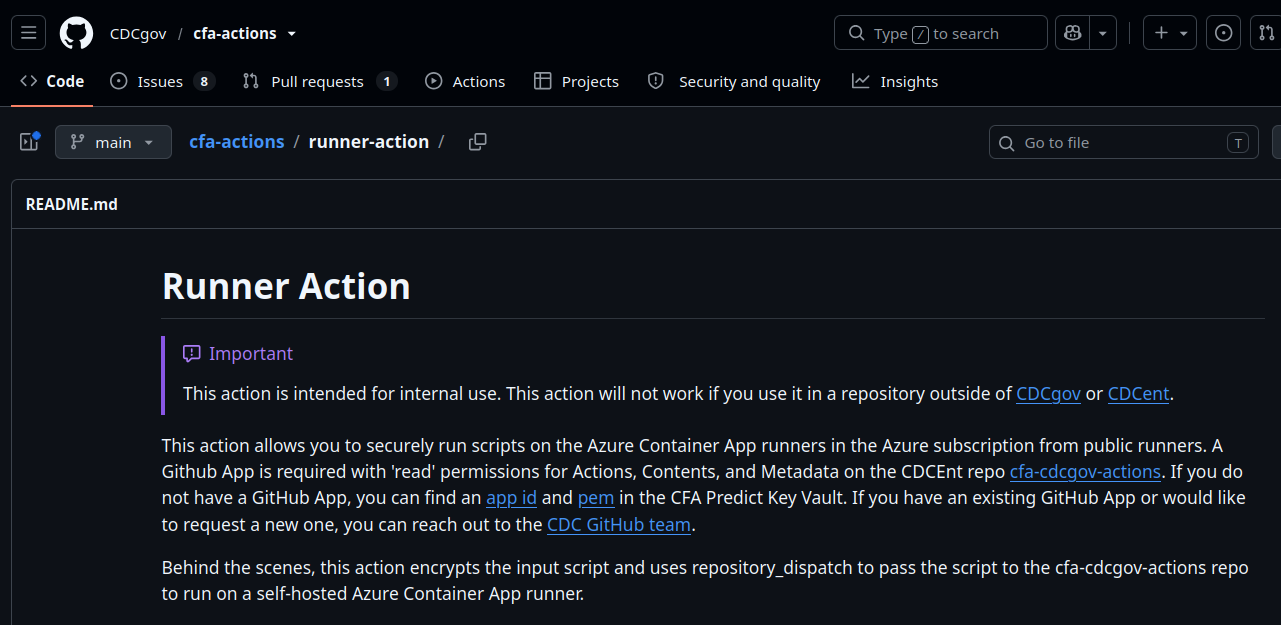
We reported this security incident to the CDC through the HHS’s responsible disclosure portal on September 4th. We received an acknowledgment on September 9th. After multiple reach-outs, the credentials were revoked on September 18th, two weeks after the initial disclosure.
Your secrets are the supply-chain threat of others
The three cases above share a pattern: one leaked private key, forgotten in a commit, that outlives both the person who leaked it and the reason it was created. GitHub App private keys never expire. A key committed by mistake in 2020 can still authenticate today, long after the mistake is forgotten.
That is what makes GitHub Apps different from most other credentials. A leaked GitHub App private key, left unrotated, is a permanent door. The blast radius does not stop at the App's owner. It extends to every organization that installed the App, and, through supply-chain dependencies, to every downstream user of the code that App touches.
During our analysis, we identified mostly internal, single-installation Apps rather than public marketplace tools. That is a finding in itself. Those are internal automation, CI bots, and one-off tooling that can easily be forgotten, even if no longer used. The App keeps running. The key keeps working. Nobody is watching it.
A GitHub App's private key is a machine-identity credential in the same category as an API key or a service account: it deserves the same discipline. Rotate a key as soon as it might have leaked, and monitor for it continuously, not once at setup.
FAQ
What is a GitHub App private key?
A GitHub App private key is a cryptographic RSA key generated by GitHub and stored in the App's configuration. The App uses it to sign a short-lived JWT, which authenticates it to the GitHub API. Private keys never expire, they exist until someone manually deletes them from the App's settings.
Are GitHub Apps private?
GitHub Apps can be public, listed on the GitHub Marketplace, or private, built for internal use only. GitGuardian's research found most vulnerable Apps were public. However, 59% had only one installation, suggesting internal automation and one-off tooling, exactly the kind teams tend to forget about.
What is the client secret of a GitHub App?
A GitHub App's client secret is a separate credential used for OAuth-based user-to-server logins. It's different from the private key this article covers, which signs JWTs for App-to-server authentication.
What is a GitHub App?
A GitHub App is a GitHub platform feature that extends GitHub's functionality, installed at the organization level for tasks like CI/CD automation, security scanning, or project management syncing. Unlike OAuth Apps, GitHub Apps authenticate under their own identity and can later impersonate the installing organization using installation tokens.
How does a GitHub App authenticate to the GitHub API?
A GitHub App signs a short-lived JWT with its private key using the RS256 method. The token carries only three claims: issued-at time, an expiration no more than 10 minutes out, and the App ID. GitHub verifies the signed JWT, then issues an installation token that grants access to an organization.