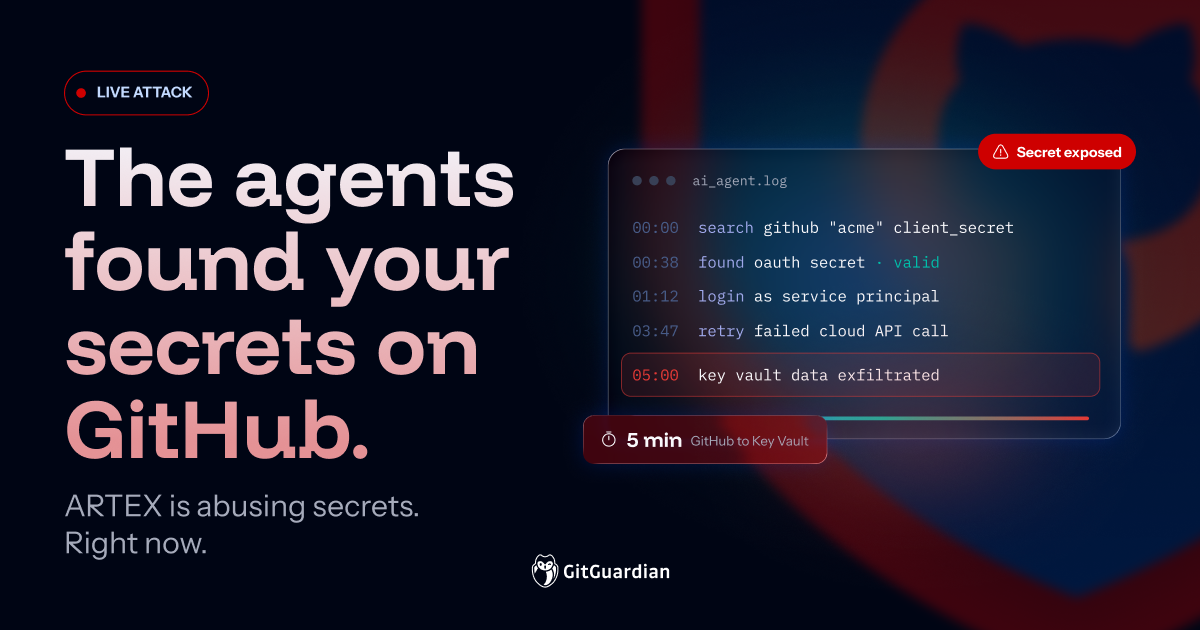
On November 5, Microsoft Threat Intelligence published research showing threat actors using an agentic AI framework called ARTEX to search public GitHub for exposed secrets and abuse them. The agents found OAuth application secrets, signed in as service principals, and moved through Azure and Microsoft 365 tenants. In one case, an agent went from scanning GitHub to exfiltrating data from Azure Key Vault in five minutes. Five. minutes.
At GitGuardian, we have been warning everyone about this exact scenario for years. The only new part is that the attackers are no longer working at human speed. This is what an attack on the credential layer looks like. A secret exposed in public code gives an attacker access to a trusted identity, which they can then use to move through cloud infrastructure and reach sensitive data.
What is ARTEX, and how widely is it being used?
ARTEX is an agentic penetration testing framework built to run offensive tasks autonomously. It is deliberately generic: it ships with only a minimal set of tools and instructions, and few of them are offensive. Most of the decision-making is left to the agent. The operator provides a goal and can step in later to correct the agent when it drifts.
The tool was published on GitHub in late July and received updates after that, the last one on Oct. 3. It was pulled from GitHub on Oct. 8, right after the first report of use by threat actors.
The removal did not stop the attacks, as Microsoft noted in its latest report. Censys data shows roughly 1,400 publicly exposed ARTEX instances across approximately 800 distinct-looking deployments as of Nov. 4. A Check Point report published Nov. 5 reports more than 1,800 publicly exposed instances. The figures use different measurement methods, so they don't necessarily represent an increase of 400 instances in a single day. Both are incomplete views of ARTEX deployment, since its management interface does not need to be publicly exposed.
ARTEX can be fingerprinted with two requests. GET /api/health returns a distinctive JSON response on standard builds, and GET /api/auth/status discloses whether the first-run administrator setup is complete:
GET /api/health
{"ok":true,"service":"artex","version":"..."}

GET /api/auth/status
{"initialized":true|false}
Together, these endpoints identify the application and reveal whether the deployment is still in its initial setup state.
The campaigns analyzed by Check Point were mostly opportunistic attacks conducted with minimal human intervention. Their objectives included:
- Draining cryptocurrency
- Stealing gaming accounts
- Stealing Apple code-signing certificates
Since the tool was first published, researchers have also linked ARTEX to attacks involving South Korean financial institutions, ConnectWise customer environments, and WorkOS. Not every reported target experienced a confirmed compromise, but the range of activity shows how broadly the framework is being used.
Do this today
Microsoft has observed this activity in real attacks. Their official reports recommend acting on publicly exposed secrets as soon as possible. CERT IN, in a recent report on the ARTEX threat, provides similar guidance.
If your organization has credentials exposed on GitHub, you need to know which ones are still valid and what they can access.
- Check your public exposure with the GitHub Security Audit. Enter your company domain to assess secrets associated with your developers' public GitHub activity, including repositories outside your organization.
- Scan your internal repositories for hardcoded secrets. Public GitHub is the immediate hunting ground described in Microsoft's research, but your own repositories may contain credentials that create additional exposure. Start scanning with GitGuardian to find secrets in your private code and commit history. You can start for free or evaluate broader capabilities through a business trial.
- Prioritize and revoke exposed credentials. Start with valid, high-privilege credentials, especially OAuth application and service principal secrets that provide access to sensitive cloud resources, data, or other credentials. Revoke or rotate exposed keys immediately, then investigate whether they were used. If an application was compromised, check what else it could access.
- Need help assessing exposure at scale? Talk to our team. We can help you identify exposed credentials, prioritize the risks, and coordinate remediation across your organization. You can also reach us at sales@gitguardian.com.
The recipe has been the same since 2017
Searching public code for credentials is the oldest trick in the cloud attack playbook. GitGuardian has scanned every public GitHub commit since 2017. The State of Secrets Sprawl 2026 counted 28.65 million new hardcoded secrets in 2025. Four years later, 64% of the valid secrets from 2022 are still active.
Put those numbers next to the Microsoft research, and the conclusion writes itself. Millions of valid credentials sit in public GitHub repositories, many still valid years after they leaked. And AI is adding to the problem: leaks of AI-service secrets grew 81% in 2025 alone. Attackers have been automating the search for exposed credentials for years. Now, with agentic AI, they can find exposed credentials, test their access, and move through compromised environments with minimal human intervention.
Attackers are moving at machine speed, targeting your weakest link
Microsoft describes agents sending large volumes of GitHub queries that combine a target company name, secret keywords, and cloud or AI service names. Once inside a tenant, the agent corrected its own failed cloud API calls and retried within a minute or so until it succeeded. Picture a pentester who never sleeps, never gets bored, and costs a few dollars of inference. All it needs is one valid credential to gain access.
We've seen how quickly attackers can collect and spread stolen credentials. For example, in August 2025, the Nx s1ngularity attack became the first known malware our researchers looked into that hijacked AI CLI tools on developer laptops to hunt for credentials. Weeks later, Shai-Hulud turned stolen npm tokens into a self-spreading credential stealer. Shai-Hulud 2.0 exposed more than 33,000 unique secrets. The Mini Shai-Hulud wave showed the worm still adapting in 2026. These campaigns dumped stolen secrets onto public GitHub, the same hunting ground the ARTEX agents now search.
The reality is you need to assume breach right now. Security teams should treat publicly exposed secrets as compromised and apply the same precaution to exposed credentials in internal repositories and systems. Identify which credentials are still valid, understand what they can access, and revoke or rotate them. Investigate whether they've already been used, but don't wait for confirmation of abuse before acting.
Revoking credentials without knowing what it breaks also brings risks. This leads many teams to think the best move is to simply take those repos offline. That is not enough, though.
Deleting the commit fixes nothing
Microsoft says it plainly. A publicly exposed credential stays usable until someone revokes or rotates it. Deleting the file or rewriting Git history doesn't invalidate it. Finding an exposed secret is only the first step. You need to know whether it's still valid, who owns it, and what it can access before you can effectively remediate it.
Detect, remediate, and prevent
Attackers are moving faster than ever, and security teams need to know which credentials are exposed, what they can access, and how to shut down that access before attackers can abuse it.
GitGuardian helps organizations discover exposed credentials across public and private environments. Our free GitHub Security Audit identifies public exposure associated with your developers, while Internal Secrets Monitoring finds hardcoded secrets across private repositories and CI/CD pipelines. We also built HasMySecretLeaked, a free way to check whether a credential has appeared on public GitHub without revealing the secret itself. Our public leak checks extend that visibility to credentials stored in vaults and pipelines.
Finding exposed credentials is the beginning. GitGuardian helps teams prioritize remediation by validating which credentials are still active and providing context about their owners, identities, permissions, and potential impact. Incident grouping, automated routing, and custom playbooks help teams coordinate remediation at scale. For supported providers, GitGuardian can even revoke compromised credentials directly, cutting off attackers' access.
We also need to prevent the next leak. GitGuardian's ggshield catches secrets before they reach repositories through pre-commit and pre-push scanning. Developer Endpoint Protection helps find credentials stored on developer machines, while AI Hooks add preventative controls to AI coding workflows, stopping secrets from being exposed through agent actions.
The robots have arrived, and they read GitHub faster than any of us. Let's make sure they don’t find secrets.