When most people think of “Enterprise Security,” they immediately think of hardened data centers, locked-down cloud environments, and SOC teams watching dashboards late into the night. They picture firewalls, SIEM alerts, and tightly controlled production systems.
What they rarely picture is the most active piece of enterprise infrastructure in the company: the developer workstation. Yet that laptop is where credentials are created, tested, cached, copied, and reused across services, bots, build tools, and now local agents. Attackers have noticed.
Let's take a closer look at how developers have become the entry point for evolving supply chain attacks and what we can do about it.
Why Developers Have Become Targets For Supply Chain Attacks
Developers have always been attractive targets for attackers. To do their work, devs need access to internal systems and codebases, and attackers have always tried to leverage that access. In the past, that often meant physical theft, shoulder-surfing, risky Wi-Fi, or waiting for a developer to accidentally commit a secret publicly. Credentials were issued more deliberately, usually as long-lived API keys, with the expectation that the developer would guard them against human-scale snooping and loss.
But the developer reality has changed. Today, developers regularly create and connect new credentials for services, bots, build systems, agents, and every other kind of non-human identity (NHI). Approval workflows can not keep up with escalating delivery pressure, so many developers create "temporary" credentials to get things working quickly. Those get stored in local .env files and other plaintext configs, which still feel “safe” because they are on their own machines.
Adversaries Evolved Right Alongside Enterprise IT
Attackers no longer need physical access to a laptop or Remote Desktop Protocol (RDP) connections. Instead, they slip into the toolchain. The Shai-Hulud campaigns combined dependency compromise with systematic local environment harvesting. The attack involved harvesting local environment data, running structured secret scans, and exfiltrating what they found at scale, with the same valid secret often duplicated across many locations.
And now, AI agents can be turned into accomplices. For example, the S1ngularity attack used malware that weaponized local AI agents to facilitate credential theft, starting from a familiar supply-chain entry point. Ecosystems like OpenClaw normalize installing “skills” that can include links, scripts, and copy/paste commands, turning documentation into an execution path on machines holding enterprise credentials.
No matter how the malicious code is executed on the machine, the net result is the same: attackers are not just trying to steal code, they are trying to steal the locally stored secrets that unlock everything else. Any theft of valid credentials brings a much higher risk of unauthorized access, exactly what security leads are worried about.
Reducing Risk On Development Machines
Let's take a closer look at some steps and best practices you can implement right now, and some longer-term strategies you can adopt to mitigate the risks that secrets on the developer workstation can pose.
Understand Your Exposure
Start with visibility on the developer machine, because attackers do not need a dramatic intrusion when secrets are already sitting in plaintext across workspaces and tool caches. You need to treat the workstation as the primary environment for secrets scanning, not an afterthought.
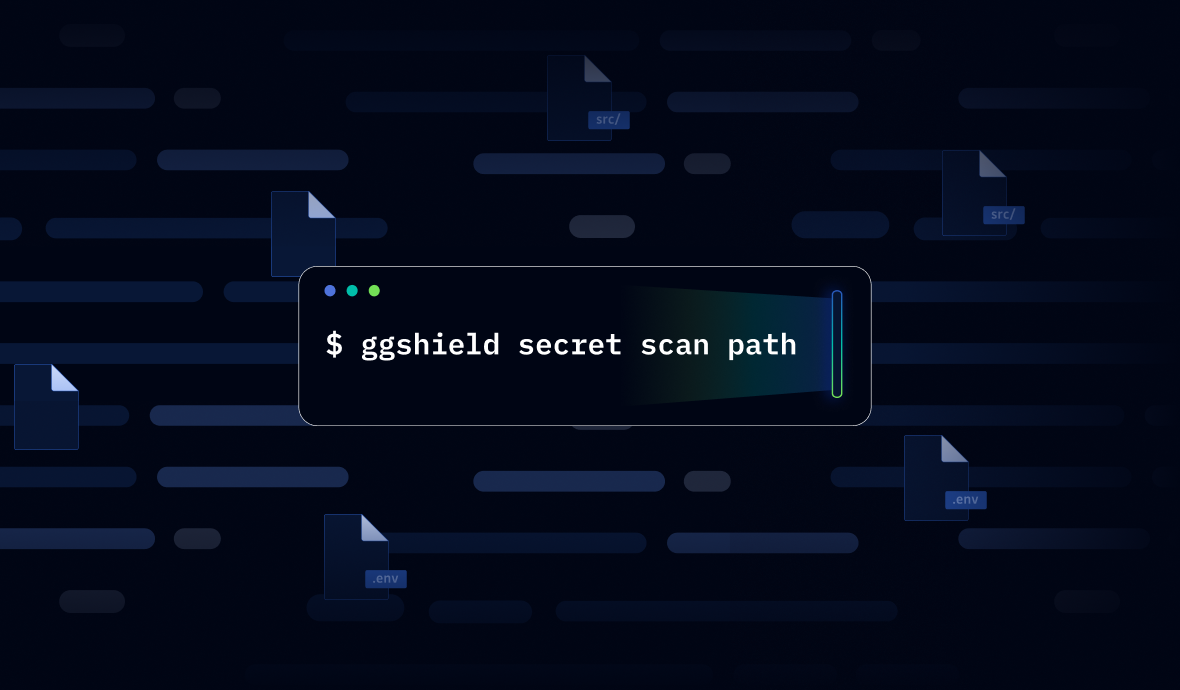
In practice, that means running scans with ggshield, the command-line tool that extends the power of the GitGuardian platform to the developer's terminal, to identify secrets in obvious and not-so-obvious places.
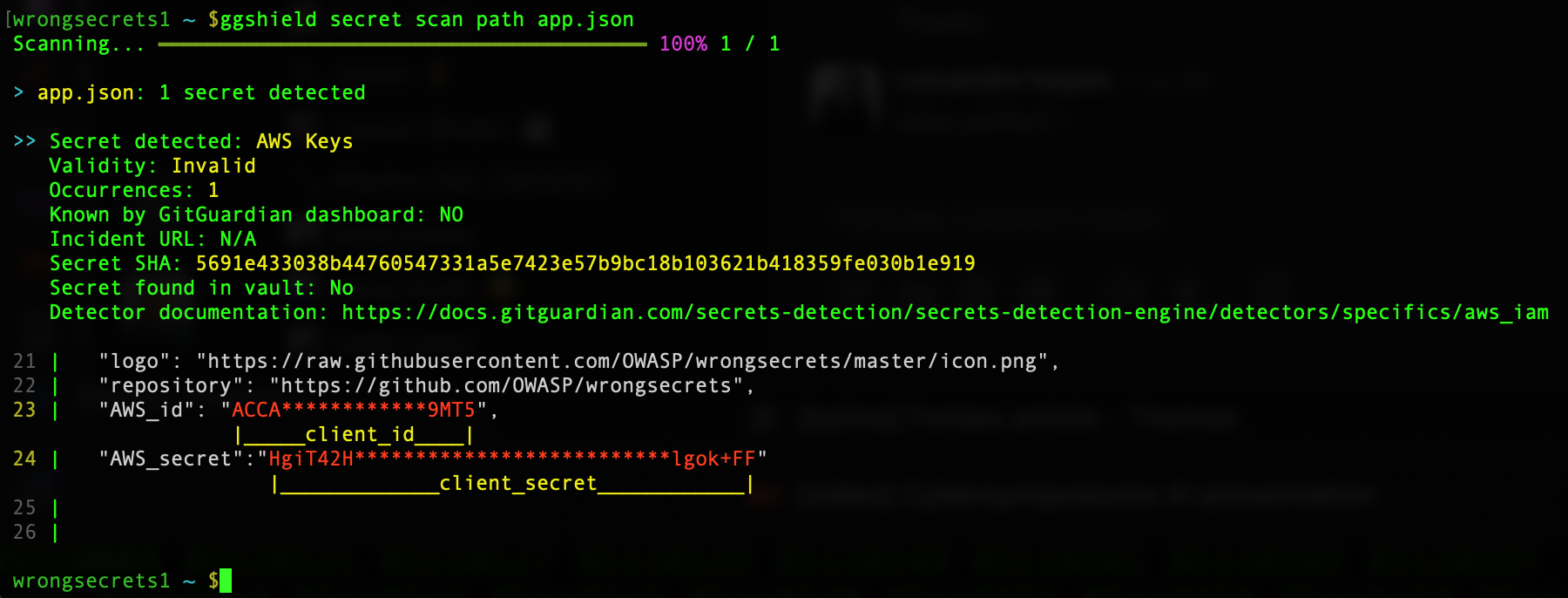
Of course, you should scan local repositories to catch credentials that slipped into the code and to detect anything still lingering in Git history. Once committed, even if removed in the next commit, secrets remain in your shared repository's history forever.
You should also scan across the filesystem paths where secrets accumulate outside Git, because that is where most of the real exposure lives. Project workspaces, dotfiles, and build output are the obvious culprits, but agent folders matter just as much now. Local agents generate logs, caches, and “memory” stores that often include pasted tokens, copied config blocks, and troubleshooting output.
Even when a developer never commits a secret, those "other' folders and files can still become a reliable second source of plaintext credentials sitting on disk.
Don't Forget Environment Variables
Do not assume environment variables are “safe” just because they are not in Git. On developer machines, environment variables are often persisted and duplicated in ways that are easy to forget and easy for malware to harvest.
Shell profiles, terminal session files, local run scripts, devcontainer configs, IDE settings, and generated artifacts can all end up storing environment values on disk, sometimes indefinitely.
Treat these locations as part of your normal exposure surface, and scan for them the same way you scan repos and workspaces, because attackers are increasingly harvesting local environment data as a direct path to valid credentials.
Stop the Bleed
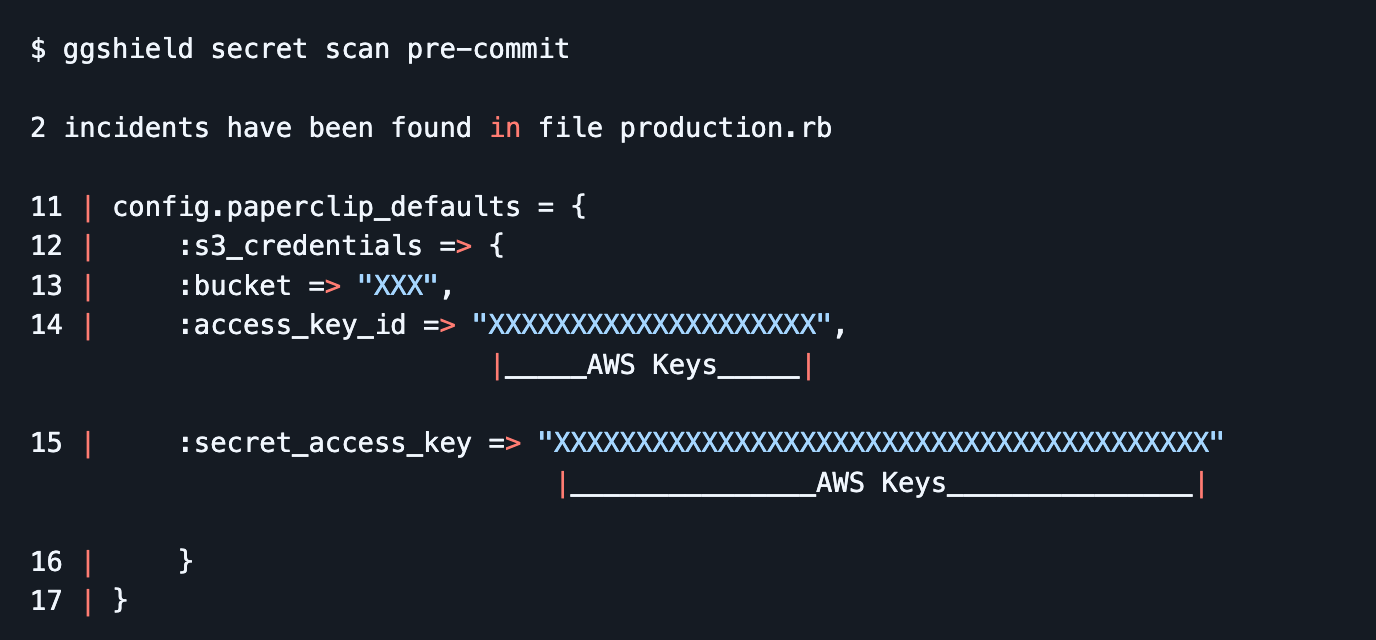
Once you start scanning locally, add ggshield pre-commit hooks so you stop creating new leaks while you clean up the old ones. This turns secret detection into a default guardrail that runs as part of normal work, catching mistakes immediately and giving developers a clear next step to fix the issue before it turns into an incident.
Move Valid Secrets Into A Vault Or Password Manager
Stop making .env files the place where “real” values live. Keep a tracked .env.example (or similar) with variable names and safe placeholders. From there, switch local runs to pull values at execution time from your vault or password manager, so the secret only exists in the process environment for the moment it is needed.
For example, if your team uses 1Password, the practical pattern is to store project secrets in a shared vault or an Environment, then launch your app with secrets injected at runtime using the CLI. 1Password documents using op run to run a command with secrets available only as environment variables for that subprocess, and op inject when you need to resolve secret references in config templates without keeping plaintext values sitting around.
If your team has already invested in CyberArk Conjur, for example, the pattern looks very similar with their command-line tool summon which is explicitly built to load secrets from a secret store into a subprocess environment. You keep a small secrets.yml mapping environment variable names to Conjur variables, then run your app with summon -p summon-conjur – <command> so the values are pulled from Conjur just-in-time and never need to live in plaintext files on disk.
There is another benefit to this approach: governance. Once inside a secrets manager, your security and operations team can start tracking the state of these secrets with tools like GitGuardian's NHI Governance platform, checking for policy breaches against the riskiest states, as defined by OWASP's Top 10 for NHIs.
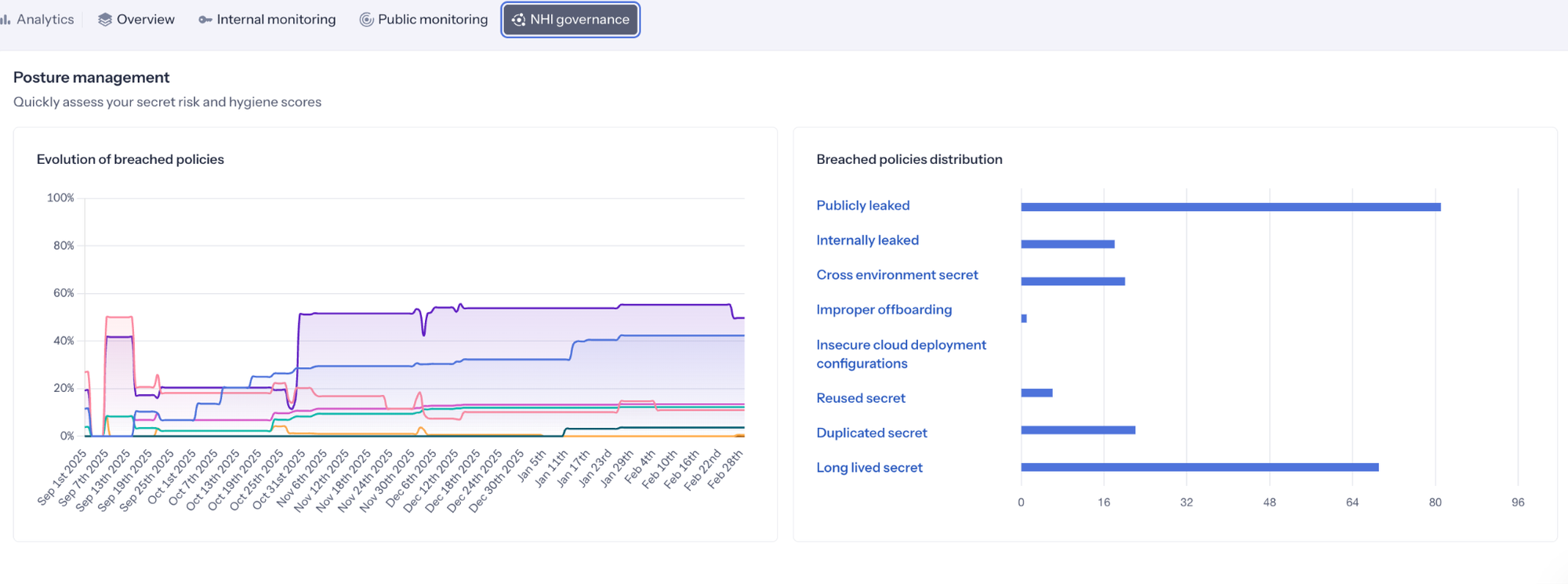
Caption: GitGuardian Analytics showing the state of secrets being monitored
When .env Is Required, Use SOPS and Embrace a Global .gitignore
Sometimes an .env file is the simplest way to run a service locally, and pretending otherwise just pushes developers into weirder, less visible workarounds. The goal is not to ban .env. The goal is to stop plaintext secrets from becoming durable artifacts that linger on disk. When .env is required, treat it as a controlled exception, then wrap it in guardrails that make the safe path the easy path.
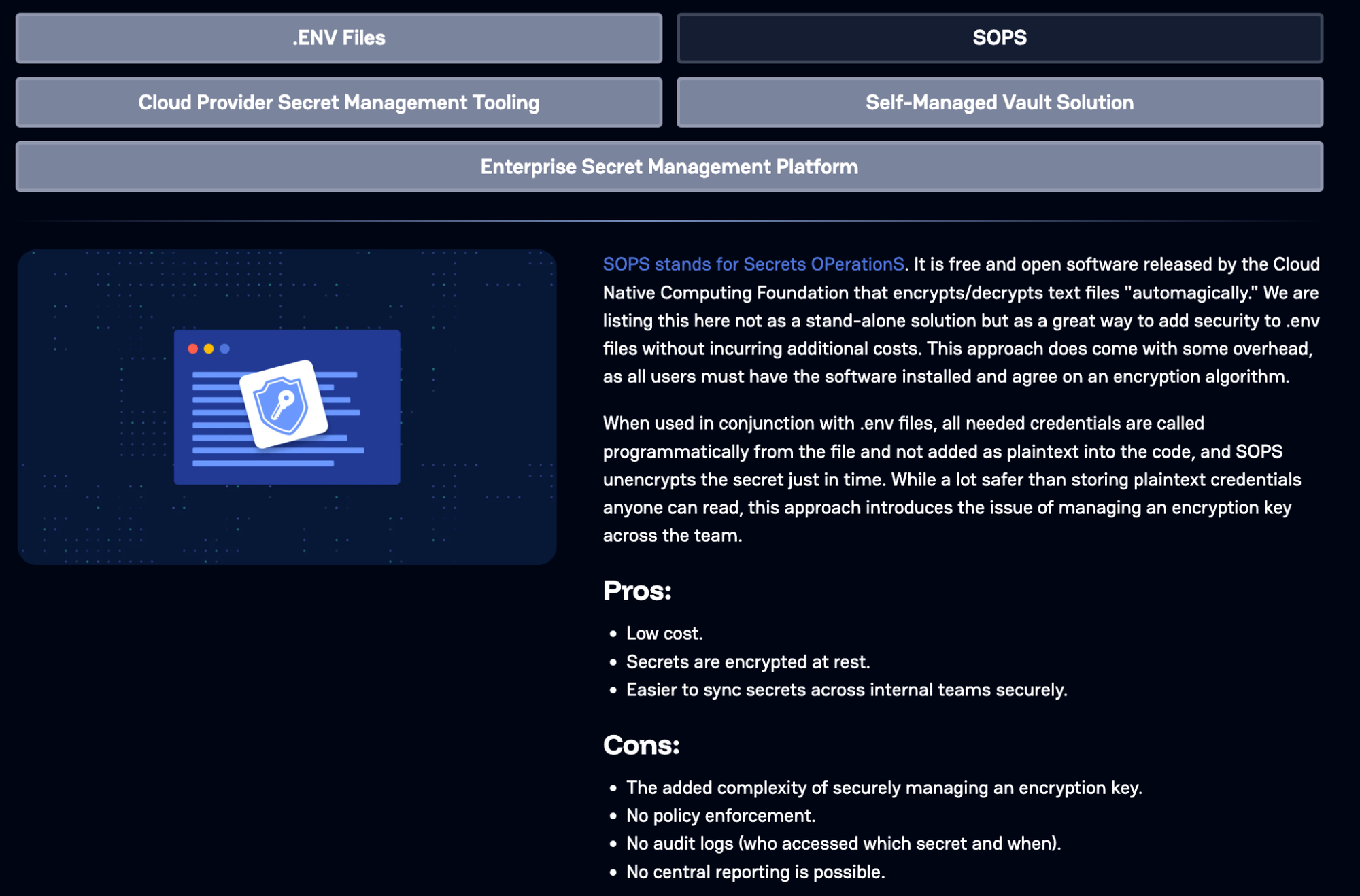
First, when a team truly needs to keep environment values in a file for repeatable local setup, use SOPS so the file is encrypted at rest and can be safely stored and shared without being usable by an attacker. The developer experience stays familiar, but the risk profile changes because secrets are no longer sitting in plaintext.
Next, adopt a global .gitignore that ignores .env and the other usual local-only files across every repo a developer touches. This can easily be done by editing your git config to use a defined .gitignore file, where you can specify file names and entire file types that git should not add to any commit. This is how you prevent the muscle-memory mistake of git add . or git add -A sweeping up a credential file during a busy day.
This is the posture shift you want to communicate: .env is OK as a workflow, plaintext .env is not fine as a storage model. A global ignore reduces accidental commits, and SOPS reduces the damage when files are copied, backed up, or otherwise exposed.
Treat Agentic AI Like a Secret-Leaking Machine Until Proven Otherwise
Agentic tools feel like productivity helpers, but operationally, they behave more like a new kind of automation account that can read files, run commands, and move data between systems. Treat them that way from day one.
With OpenClaw-style agents, the “memory” is not an abstract concept. It is literally files on disk, commonly SOUL.md and MEMORY.md, stored in predictable locations and often in plain text. That changes the risk model for developers because anything you paste into an agent session, plus anything the agent decides to remember, can become a durable local artifact that other malware can simply steal.
Never paste credentials into agent chats, never teach the agent secrets “for later,” and treat agent memory files as sensitive data stores that must be kept secret-free and routinely reviewed and scrubbed.
When scanning for secrets, we must take these new files and workflows into account.
Eliminate Whole Classes of Secrets with WebAuthn and OIDC
The other suggestions so far have been very achievable in the short term. Let's now look at longer-term strategies. For most teams, these changes usually mean changing how people log in, how services authenticate, and how platforms are wired together. It also pays off the most. The fastest way to reduce secret sprawl is not to store secrets “better,” it is to remove the need for entire categories of shared secrets in the first place.
On the human side, WebAuthn (passkeys) replaces passwords and a lot of the brittle recovery and MFA bypass paths that attackers love. On the workload side, OIDC federation replaces long-lived cloud keys and service account secrets with short-lived tokens issued at runtime.
The practical way to roll this out is in slices. Start with the highest-risk paths where leaked credentials hurt the most, then expand. Move developer access to passkeys as teams adopt compatible identity providers and devices. In parallel, migrate CI and deployment workflows to OIDC-based auth so pipelines stop relying on stored cloud keys, registry tokens, and shared secrets.
This is a program, not a weekend task, but every piece you migrate is one less secret that can leak from a workstation, a repo, or an agent’s local memory.
Move To Ephemeral Secrets And Identity-Based Authentication Workflows
If you cannot eliminate secrets yet, the next best move is to make them short-lived, narrowly scoped, and automatically replaced. Ephemeral credentials change the economics of theft. A token that expires quickly and cannot do much is far less useful than a long-lived key that sits quietly on disk for months. This is how you reduce the blast radius when a developer machine gets hit by a dependency compromise or an infostealer.
This is also where SPIFFE fits cleanly into the story. SPIFFE is built around issuing short-lived cryptographic identity documents called SVIDs (either X.509 certificates or JWTs) to workloads, so services can authenticate using identities that rotate automatically instead of relying on static API keys embedded in configs.
In rollout terms, “ephemeral by design” means you deliberately replace the worst offenders first. Start with long-lived cloud keys, deployment tokens, and service credentials that developers or runners keep locally for convenience. Shift those paths to short-lived tokens, automatic rotation, and workload identity patterns like SPIFFE/SPIRE wherever they fit. Each migration is one less durable secret that can be stolen, reused, and quietly weaponized later.
Closing the Developer Secret Gap
Developer workstations are part of the software supply chain, sitting at the intersection of rapid delivery, expanding NHI creation and use, and local automation tools. This is exactly why attackers have shifted their tactics. They no longer need to wait for a secret to be pushed to a repo or gain hands-on access to a laptop.
If a credential exists in plaintext anywhere on the machine, including build output, dotfiles, and agent “memory” files, it can be harvested and reused to unlock systems that were never meant to be reachable from a single endpoint compromise.
GitGuardian is here to help. The GitGuardian platform is built to help teams eliminate secrets sprawl across the full surface area where it appears, from source code to developer machines to emerging agent workflows. With ggshield as the developer-side control plane and platform-backed detection, remediation, and governance, teams can move from occasional cleanup to continuous prevention.
The end goal is smaller exposure, shorter secret lifetimes, and fewer opportunities for attackers to turn one compromised developer environment into enterprise-wide access. We would love to help you on your journey.