While important, EDR and incident response only tell you what happened on the machine, like which processes ran, what the attacker touched, and what was exfiltrated. They can't tell you what was exposed, such as valid credentials that an attacker can now use.
This is the blast radius question, and most teams can't answer it fast enough. Nothing inventoried the credentials on the machine before the incident, so responders either rotate everything, which burns engineering time, or rotate too little, which exposes live credentials. The scale is real: GitGuardian's State of Secrets Sprawl 2026 counted 28.6 million new secrets leaked on public GitHub in 2025, up 34% year over year.
This article covers why this question is hard to answer, what a real answer requires, and how a per-machine credential inventory turns "we're not sure" into a prioritized, actionable list. It also covers the other half: how ongoing remediation and prevention shrink the blast radius before the next incident hits.
The moment the question gets asked
What happens when an infostealer alert fires or one of your company's laptops is reported stolen? How about when a developer believes their machine is compromised? In all likelihood, your incident response protocols isolate the host. Then, leadership asks the question that decides your next move: What was the attacker able to compromise, and what do we need to act on?
From that moment, every valid credential on the device is a live risk until someone rotates it. According to Verizon's DBIR, valid credentials factor into roughly 82% of intrusions. As such, the speed and precision at which you answer the two questions above (what was on the machine and what do we need to rotate) determine the severity of the incident.
This is when your endpoint incident response program runs like a well-oiled machine or turns into a mad scramble. The difference rarely depends on the skill of your security team. Rather, it comes down to whether you recorded the machine's credentials before the incident.
There's a second value that only shows up once you actually have the inventory: it surfaces credentials that shouldn't be on developer machines in the first place. Not compromised credentials, just misplaced ones. A production API key on a developer laptop that should live in the vault. An admin token in a .env file that should have been rotated out. These aren't incidents in the traditional sense, but every one of them shrinks the blast radius of the compromise that will eventually happen.
Why "what was on this machine?" is so hard to answer
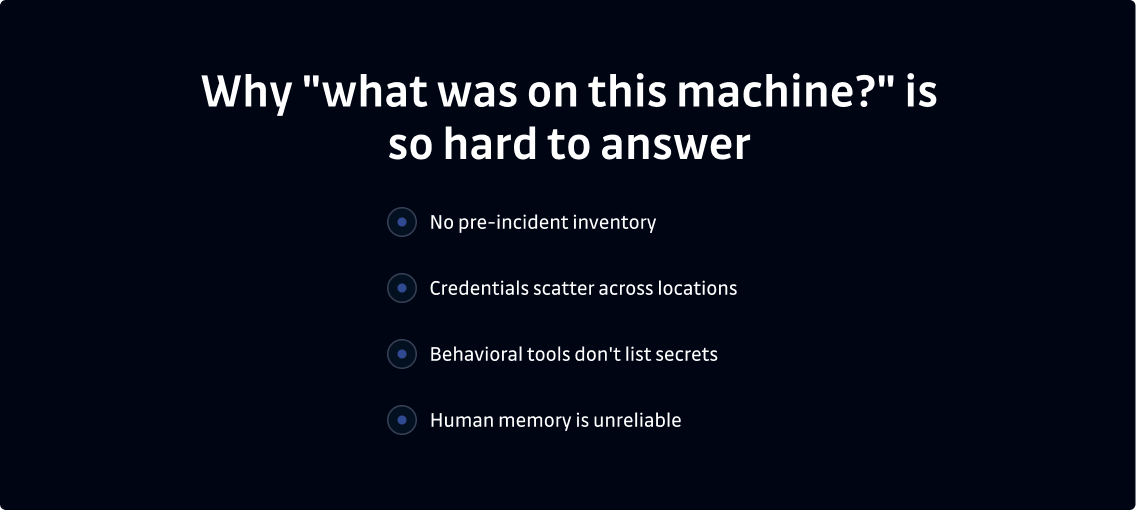
To determine which credentials were on a compromised laptop, a security lead has to reconstruct the data by hand, under immense time pressure, based on the limited information forensics can surface and whatever the developer remembers. This process is slow for multiple reasons:
- No pre-incident inventory: Few organizations maintain a credentials inventory. So, there's no baseline to check machines against, and every investigation starts at zero.
- Credentials scatter across locations: Credentials accumulate in .env files, shell history, CLI caches, cloud profile folders, SSH keys, and AI tool caches. Worse, developers who use AI coding tools leak credentials roughly twice as fast as those who don't. The credential density is measurable: in one 2025 supply chain campaign (Shai-Hulud 2.0), attackers found a median of more than 10 valid credentials per compromised developer machine. Reconstructing that list by hand (and under pressure) is both slow and error-prone.
- Behavioral tools don't list secrets: EDR and forensics show which processes ran and what behavior occurred, not a definitive list of the secrets that were on the machine.
- Human memory is unreliable: Developers rarely remember what they stored locally on their devices. Furthermore, memory isn't an audit trail. Asking someone to reconstruct a credential inventory from recall is a surefire way to impede your investigation.
Because it's so hard to determine what was on a compromised machine at the time of attack, security leaders must make a difficult choice between over- and under-rotation.
Over-rotation costs days of engineering time and causes outages when teams rotate credentials that other systems depend on. Under-rotation leaves a valid credential in the attacker's hands.
Both problems trace back to the same root cause: Nobody knew what was actually there.
What EDR and security tooling tell you (And what they don't)
EDR, forensics, and DFIR tools are valuable. They reconstruct which processes the attacker ran, what they accessed, and what data the attack captured. For understanding the mechanics of an incident, this tooling is essential, and no credential inventory can replace it.
What these tools don't do, however, is produce a definitive list of valid credentials that were on the machine and are now exposed. Unfortunately, this is the information that drives rotation. After all, credential exposure after breach isn't a behavioral question. It's an inventory question, and inventory requires different instrumentation than behavioral detection.
The two views work together. EDR and forensics answer "what happened?" A credential inventory answers "what was exposed?" Combined, they provide a full scope of the incident, so you learn what the attacker did on the compromised device and the secrets they had access to.
How do you answer the blast radius question after an incident?
To answer the blast-radius question quickly, you need the right record in place before an attack occurs. In other words, you need these six elements for a speedy recovery:
- A pre-incident inventory: This is the foundation of everything else. It also anchors the secondary scope: a harvested AWS key may have been used to query a Secrets Manager; a stolen GitHub token may have accessed private repositories. The blast radius can grow beyond the compromised machine, and tracing that expansion starts with knowing what credentials were on it.
- Access scope & severity: A ranking of which credentials carry the highest access privileges, like admin keys, production tokens, broad OAuth grants. These are the candidates for immediate rotation, so they should be triaged first.
- Validity status: The knowledge of which credentials on a specific machine are still valid. These details allow teams to prioritize specific, strategic rotations.
- File locations: The knowledge of where each credential lives. These details make every finding verifiable and give developers a clear cleanup path to pursue.
- History over time: A scan history that shows what's on the device now and what was there at the moment of compromise, so your security team can compare the two.
- Ownership mapping: A document that maps every credential to its identity and owner. This element allows rotation to reach the right system and the right team when needed. The security team cannot rotate all secrets alone, so identify the tool owner or service admin for each finding and loop them in. Without ownership, rotation stalls.
Together, these six elements turn a days-long investigation into a quick lookup that tells you what to rotate immediately and what to promote to the incident workflow.
What good looks like: From "not sure" to a revocable list
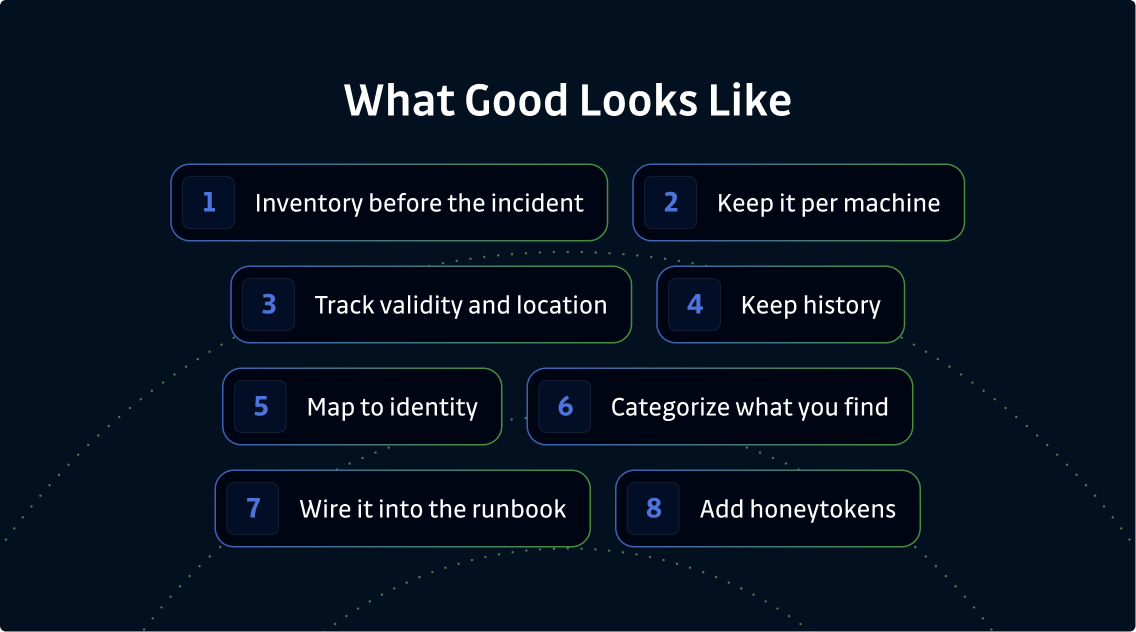
A mature program treats the blast radius answer as something to retrieve rather than something to investigate. Here's what that level of maturity looks like in practice:
- Inventory before the incident: Regularly scan for credentials at rest, well before an incident happens. Good looks like every machine assessed on a consistent schedule.
- Keep it per machine: Log per-machine records, not only a fleet-wide total. Good looks like the ability to pull up a single machine and see exactly what's on it.
- Track validity and location: Record validity status and file path for every finding. Good looks like a list that immediately separates high-privilege and confirmed-leaked credentials from lower-severity findings
- Remediate before the incident: A per-machine inventory is most powerful when it drives action, not just records. Good looks like a shrinking credential footprint over time: old cached keys redacted from disk, AI hooks stopping new agent-generated secrets from landing, and developer-initiated cleanup from the dashboard. Detection without remediation is just noise, and the inventory closes the loop only when it leads to a fix.
- Keep history: Retain scan history, so you can answer for every moment of compromise. Good looks like a weeks-long timeline rather than a single current view.
- Map to identity: Ensure every credential traces back to its owner and the system it authorizes. This full identity-and-owner mapping is the job of NHI Governance. When a credential found on an endpoint maps to an NHI, that identity gets an owner and routes to the right team automatically. Good looks like rotation that reaches the right place without guesswork.
- Categorize what you find:
- Privileged secrets → remove from the machine
- Useless secrets → redact
- Useful secrets that should be safely stored → relocate to a vault
- Secrets that need to stay in plaintext → accept the risk, mitigate around it (this is where honeytokens come in)
- Wire it into the runbook: Make blast radius scoping an explicit step in the security runbook. Good looks like responders who know exactly where to pull a machine's credential record in the event of an attack to better understand and minimize the damage.
- Add honeytokens: For the category of credentials that must stay in plaintext on the machine, plant a honeytoken alongside them in the same directory or config file. An attacker harvesting the machine takes both. The honeytoken fires the moment it's used, confirming the compromise so you can revoke the real credentials you already knew were exposed.
How GitGuardian answers "What was on this machine?"
The machine's record is the blast radius answer.
GitGuardian Developer Endpoint Protection is one of the capabilities inside the GitGuardian platform, alongside Internal Secrets Monitoring, Public Secrets Monitoring, and NHI Governance. Developer Endpoint Protection regularly scans the locations where credentials accumulate on each developer machine, deployed through your existing MDM.
As important, the Endpoints view in the GitGuardian dashboard keeps a per-machine record that includes scan status and history, plus every discovered secret grouped by severity and validity, along with its file location. Findings are deduplicated across machines — you get a prioritized list of unique secrets, not a list of duplicated findings that inflates the noise. After a compromise, this record answers the question, "What was on this machine?" with a prioritized, revocable list scored by machine, severity, and validity.
This assumes Developer Endpoint Protection is already running across your fleet before the incident, and that's the point. The teams that have the answer ready built the inventory in advance.
Beyond discovery, Developer Endpoint Protection enables local redaction of discovered secrets from the developer's machine and deploys AI hooks inside Cursor, Claude Code, and Copilot to intercept secrets before they reach disk. The goal is not just a better answer to the blast radius question; it is a smaller blast radius next time.
Developer Endpoint Protection also helps plant honeytokens tied to specific machines. That way, the moment an attacker uses a harvested credential, they trip a high-fidelity alert.
Under the hood, ggshield runs locally on the endpoint and sends only a hash and metadata back to GitGuardian, never the secret value or your source files. This secure design keeps the tool complementary to EDR, DFIR, and whatever IR processes you already run.
Answer the question before it's asked
The blast radius question is hard if you only ask it after an incident. In this scenario, EDR and forensics will still tell you what the attacker did on your machine. However, these methods can't pinpoint the valid credentials that were exposed. Unfortunately, this is the exact information you need to protect your organization and minimize damage.
A per-machine credential inventory, built before the compromise and kept current with validity, location, and history details, turns the question, "What was on this machine?" from a days-long investigation into a precise, revocable list. To be clear, it doesn't replace the incident response process your team already runs. Rather, it fills in the one input the process always misses. The teams that also remediate, clearing the backlog and preventing new credentials from landing, start the next incident with fewer secrets to scope.
These are two faces of the same capability: one tells you what the attacker was able to reach; the other limits how much they can reach next time.
FAQs
What is the blast radius question after a compromise?
It's the question of what an attacker can now access. In other words, which valid credentials sit on the compromised machine and need rotation? Scoping the blast radius turns "the laptop was compromised" into a precise list of exposed credentials and the systems each one can reach.
How do you find what credentials were on a compromised laptop?
The only reliable way is to consult records from before the attack. A per-machine credential inventory that scans the locations where credentials accumulate, while tracking validity and file location, gives you that record. Reconstructing it by hand is a slow and error-prone process.
What should you rotate after a developer laptop is compromised?
Every valid credential on the machine, prioritized by severity and by what it can access. Without a per-machine inventory, teams either rotate everything, which is slow and disruptive, or miss credentials, which is dangerous because it gives the attacker a live path to company secrets.
How do you scope blast radius after a laptop compromise?
Pull the machine's credential record to learn what credentials were at rest on it, their validity, and their locations. Combine these details with EDR and forensic data to learn what the attacker did. Then, rotate the exposed, still-valid credentials in priority order to minimize damage.
Should you rotate everything after a laptop compromise?
Only if you have limited information to work with. Blanket rotation is safe but costly and disruptive to the teams that depend on those credentials. With a per-machine inventory, you only need to rotate what was exposed and still valid. This process is faster and less disruptive.
How do you determine credential exposure after an endpoint compromise?
If possible, start with the machine's pre-incident credential record. This record, paired with the EDR and forensic timeline, tells you which credentials were live on the device and need rotation.
How does GitGuardian help answer what was on a machine?
GitGuardian Developer Endpoint Protection maintains a per-machine record of the credentials discovered on each device, including severity, validity, file locations, and scan history. After a compromise, that record is the blast radius answer: A prioritized, revocable list that complements your existing EDR and IR processes rather than replacing them.